
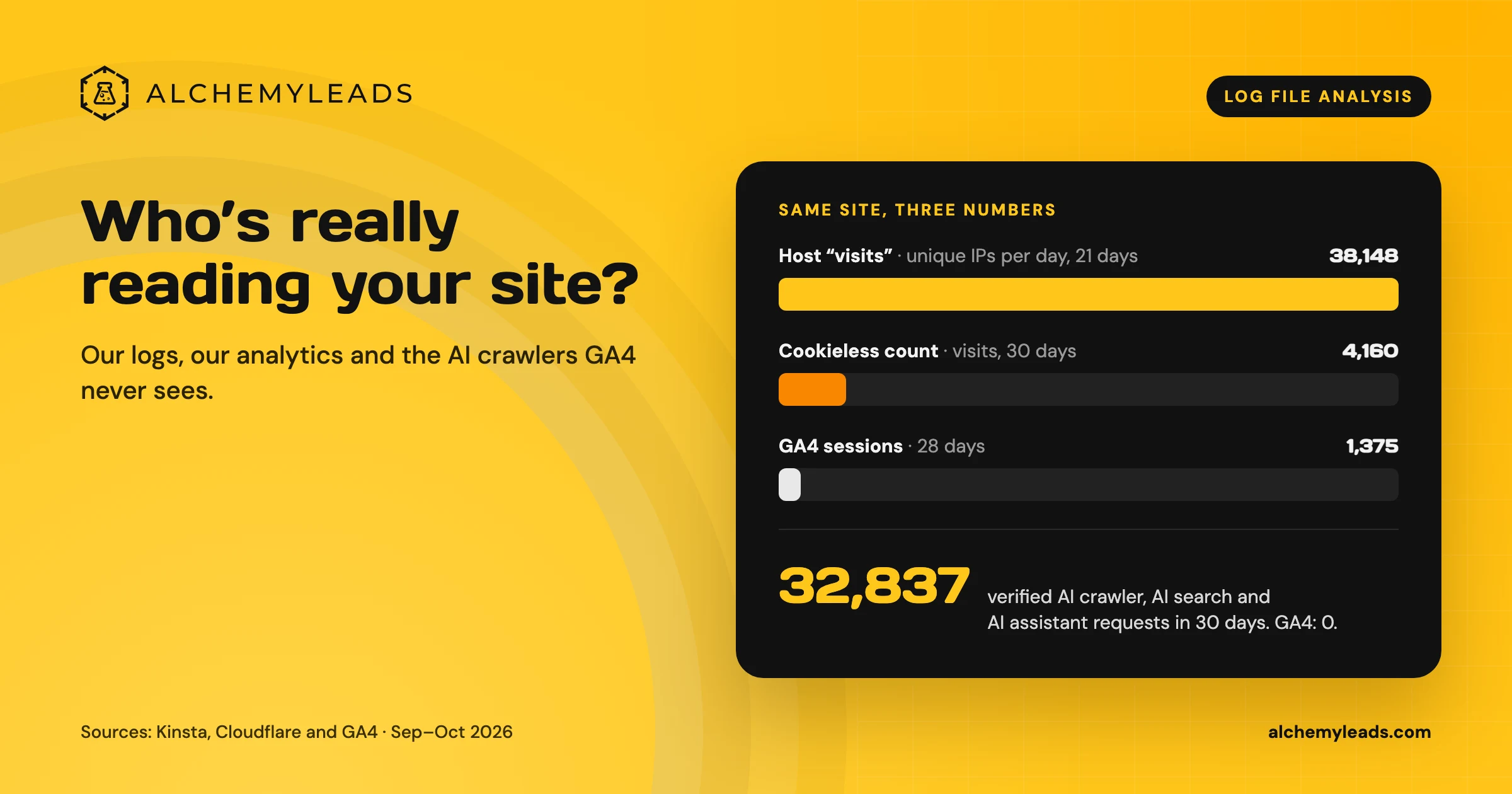
Our web host says alchemyleads.com had 38,148 visits in the last three weeks. Google Analytics 4 says 1,375 sessions in four weeks. Both numbers come from the same website over almost the same days. One of them is off by a factor of about 28.
So we did what we do for clients: we opened the logs. This is a follow-up to why we run our sites on Cloudflare for AI search. Cloudflare and our host both keep a record of every request, and that record is the only place where AI crawlers show up at all.
Why log files matter more in AI search
A server log is a line-by-line record of every request: who asked (IP address and user agent), when, which URL, and what the server answered. Analytics tools like GA4 only count visitors who run their JavaScript tag and allow cookies.
That gap used to be a technical SEO footnote. In AI search it’s the whole story, and it’s a big part of the dark funnel in AI search. GPTBot, ClaudeBot, PerplexityBot, Applebot and the live fetchers behind ChatGPT and Claude read your pages without ever showing up in GA4. The logs are the only proof that an AI engine read your content, how often, and whether your server let it in.
The three numbers, side by side
| Source | What it counts | Number |
|---|---|---|
| Web host (Kinsta), Sep 26 to Oct 16 | Unique IP addresses per day, known bots excluded | 38,148 visits |
| Cloudflare Web Analytics, last 30 days | Visits measured by a cookieless script | 4,160 visits |
| GA4, Sep 18 to Oct 15 | Sessions from visitors whose browser ran the tag | 1,375 sessions (367 engaged) |
Each one is accurate for what it measures. The work is figuring out what’s inside the big number.
What’s actually in 38,148 “visits”
Our host’s bot report splits the 375,013 requests that reached the server in the same period:
- 61,224 requests from likely humans (16%)
- 139,774 from likely bots that don’t identify themselves
- 88,668 malicious requests, blocked (login probes, vulnerability scanners)
- 29,832 from verified bots like Googlebot and Bingbot
- 19,354 from AI crawlers, 17,026 of them flagged as excessive-rate
- 15,397 from other automation, plus 11,362 from WordPress’s own scheduled tasks
The “visits” metric counts unique IPs and drops only the bots it can identify. The single busiest user agent on the server, with 33,426 requests, claimed to be Chrome on Windows but left out a component every real Chrome browser sends. That’s a scraper in a browser costume, and every new IP it used counted as a visit.
So which number do we trust? For people, the cookieless count of about 4,000 visits a month is the closest. GA4 undercounts because of consent choices and ad blockers. For AI search, the logs are the only source that counts at all.
What the logs told us about AI crawlers
Cloudflare labels bots it has verified by network and signature. Over the last 30 days:
- AI training and indexing crawlers: 22,871 requests, 11,729 of them for pages. Meta’s crawler was the most active, followed by ClaudeBot, Amazonbot and GPTBot.
- AI search crawlers: 7,803 requests, led by Applebot.
- AI assistants fetching pages live for a user: 2,163 requests, including ChatGPT-User and Claude-User. Each of those is a real person asking an AI a question that led it to our site.
- Classic search crawlers: 24,092 requests, including Googlebot, Bingbot and OpenAI’s search crawler.
The pages AI crawlers asked for most were the homepage, our SEO services page, our content marketing service and the blog. That matches what we want cited. The AI search crawlers also kept requesting a handful of old, off-topic posts from years ago, which went straight onto our pruning list.
Four things the logs caught that GA4 never could
1. Fake AI crawlers. About 86,000 page requests in 30 days used an AI crawler’s name. Only a fraction came from that company’s real network. Requests calling themselves PerplexityBot from Amazon’s network, where Perplexity runs, got through. Requests with the same name from a different cloud network were challenged, about 2,000 of them. (Some of the borrowed names are ours: our own crawler-access tests send each bot’s user agent on purpose.) If you allow AI crawlers by name alone, you’re letting the fakes in too.
2. A bug that only crawlers saw. From October 2 to 6, about 4,100 requests hit URLs ending in “/null”, like /seo-services/null. They came from crawlers that run JavaScript and from Cloudflare’s own preloading, with our own pages as the referrer. Some timed out. The spike lined up with a front-end script change that week and dropped to about a dozen a day once that script was updated. No visitor ever saw an error, and GA4 recorded nothing. In the logs it was a five-day spike.
3. Bots in the analytics. Several AI search crawlers loaded our analytics script, which means they run JavaScript like a browser. In GA4, 76% of sessions were Direct, and those sessions had a 22% engagement rate. Some of that “direct traffic” is very likely automated. We split it out with our GA4 traffic-split check and never delete it, because AI-driven visits are worth measuring.
4. Which pages the engines actually read. Compare the pages AI crawlers request against the pages you want cited. If your best page never shows up in the logs, no amount of copywriting will get it quoted. Check that it’s linked, in the sitemap, fast and allowed.
How to run this on your own site
- Get the logs. If your DNS runs through Cloudflare, the dashboard and its analytics API already hold request-level data. Most managed WordPress hosts include a bot traffic report. On a plain server, it’s the access log.
- Start with questions. Which AI crawlers visit? Which pages do they read? What status codes do they get? Are your money pages on the list?
- Segment by user agent and network. Group the requests by crawler, and check that each one comes from the network it claims. A name in a user agent proves nothing.
- Watch status codes. 403s and challenges on real AI crawlers mean your firewall is costing you citations. 404s and timeouts show broken paths crawlers found before your visitors did.
- Join with your other data. Put crawl counts next to Search Console impressions, sitemap URLs and your AI visibility tracking. A page that AI crawlers read often but never cite is a content problem. A page they never read is a discovery problem.
- Repeat after every release. Most of what we found showed up as a change from one week to the next.
The takeaway
Your analytics show people who ran your tag and accepted cookies. Your logs show everyone who knocked, including every AI engine deciding whether to quote you. For AI search, read the logs first. Then use analytics to measure what the humans did once they arrived.
Want to see which AI engines are reading your site?
Run the AI visibility checker or book a call and we’ll go through your logs with you.
Further reading: the classic SEO version of this method, in Moz’s guide to log file analysis.
Suggested
Log File Analysis for AI Search: Our Logs Showed 38,148 Visits. GA4 Showed 1,375.
Our host logged 38,148 visits. GA4 logged 1,375 sessions. We opened the server logs to see who was really there, and what AI crawlers read.
October 16, 2026
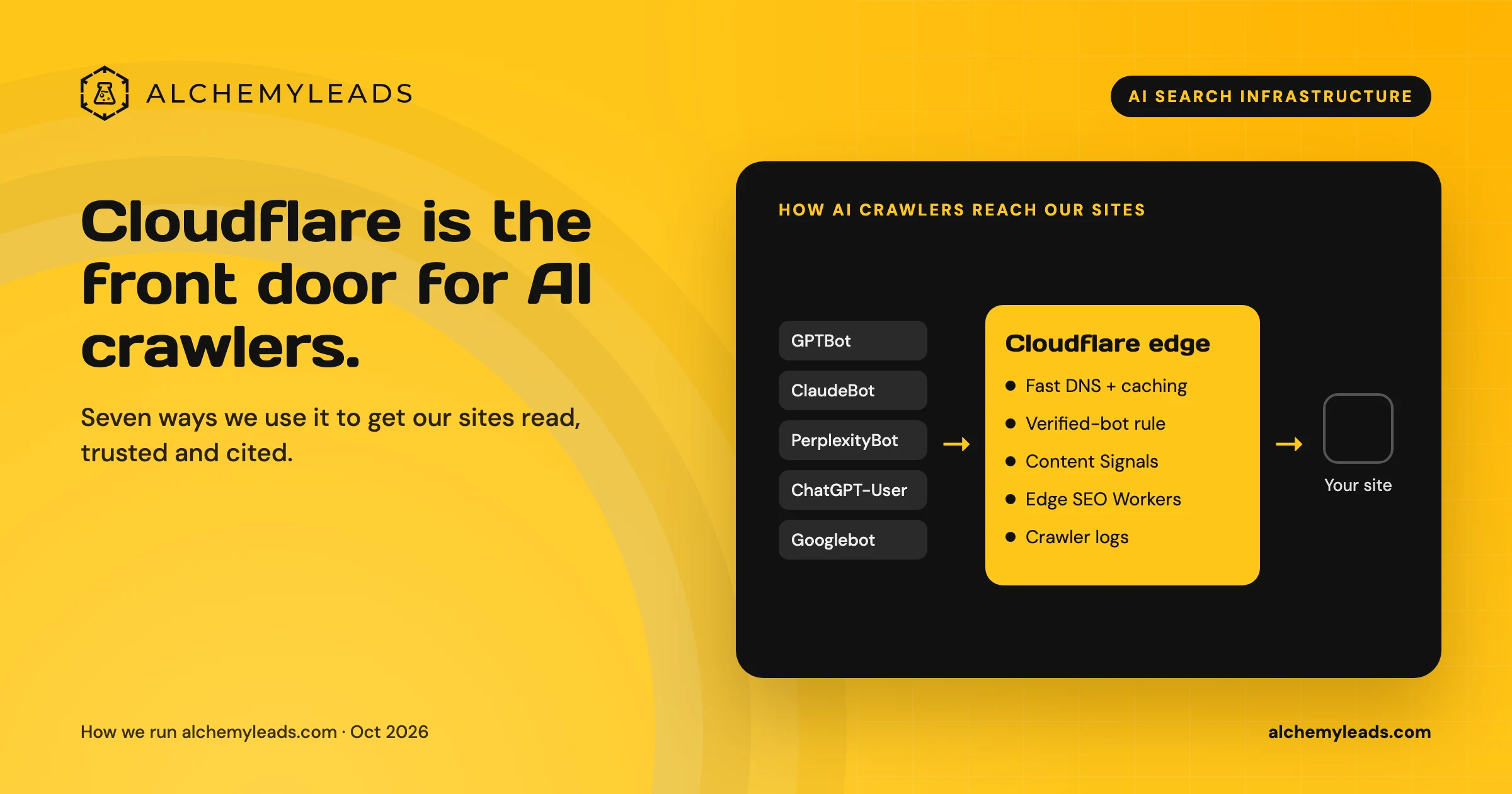
Why We Love Cloudflare for AI Search: 7 Ways We Use It for GEO and AEO
How we use Cloudflare DNS, bot rules, Content Signals and Workers to make our sites fast, crawlable and citable for ChatGPT, Claude and Perplexity.
October 16, 2026
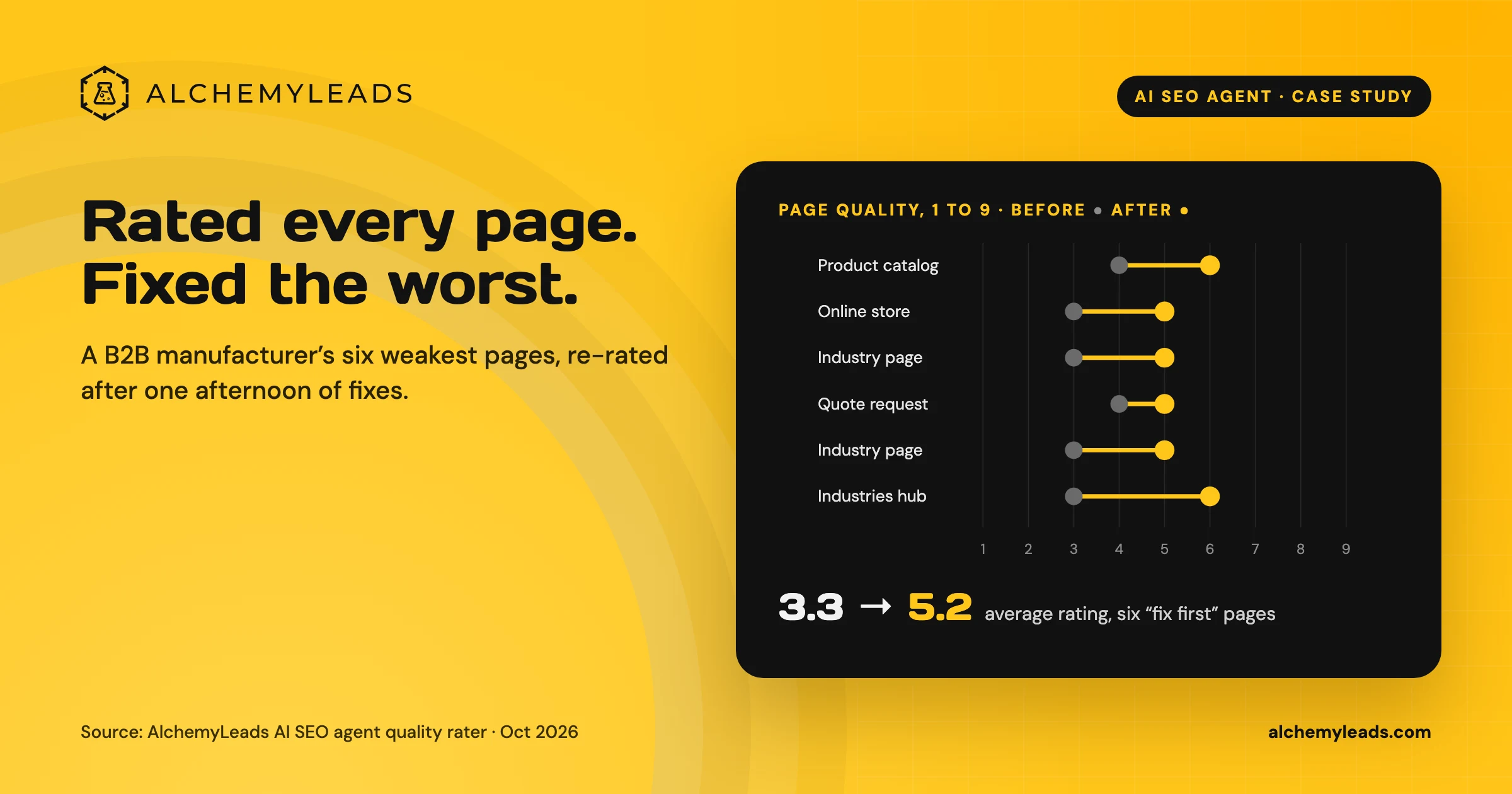
Our AI SEO Agent Rated Every Page on a Manufacturer’s Site, Then Fixed the Worst Ones in an Afternoon
Our AI SEO agent rated 40 pages of a B2B industrial equipment manufacturer’s site against a Quality Rater Guidelines-style rubric, joined the ratings to Search Console data, and lifted the six weakest pages from an average of 3.3 to 5.2 out of 9 in one afternoon.
October 16, 2026
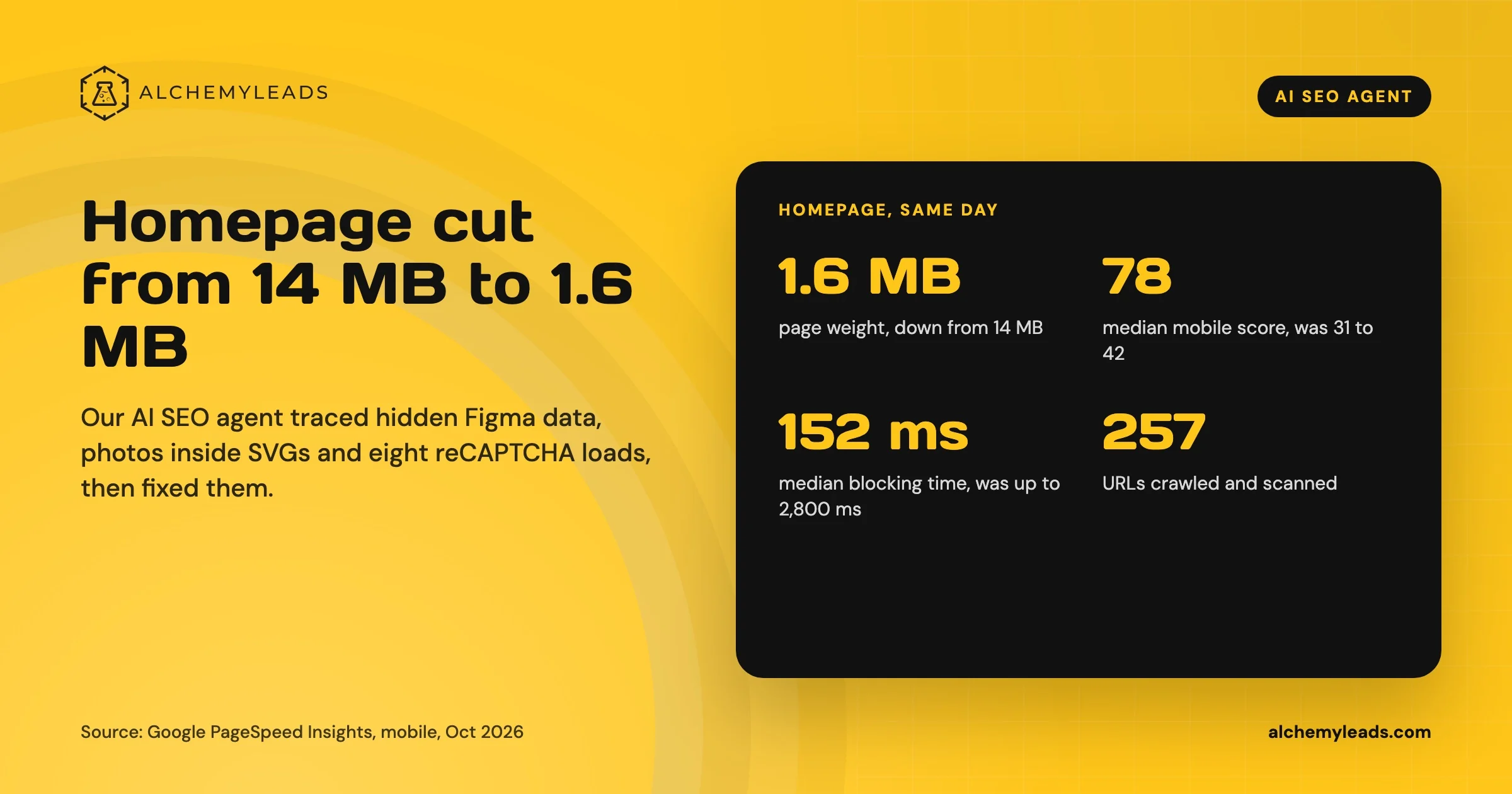
Our Homepage Went From 14 MB to 1.6 MB. Here’s What Our AI SEO Agent Found.
How our AI SEO agent cut our homepage from 14 MB to 1.6 MB: hidden Figma data, photos inside SVGs, a preloading video, eight reCAPTCHA loads, and the code behind each fix.
October 15, 2026
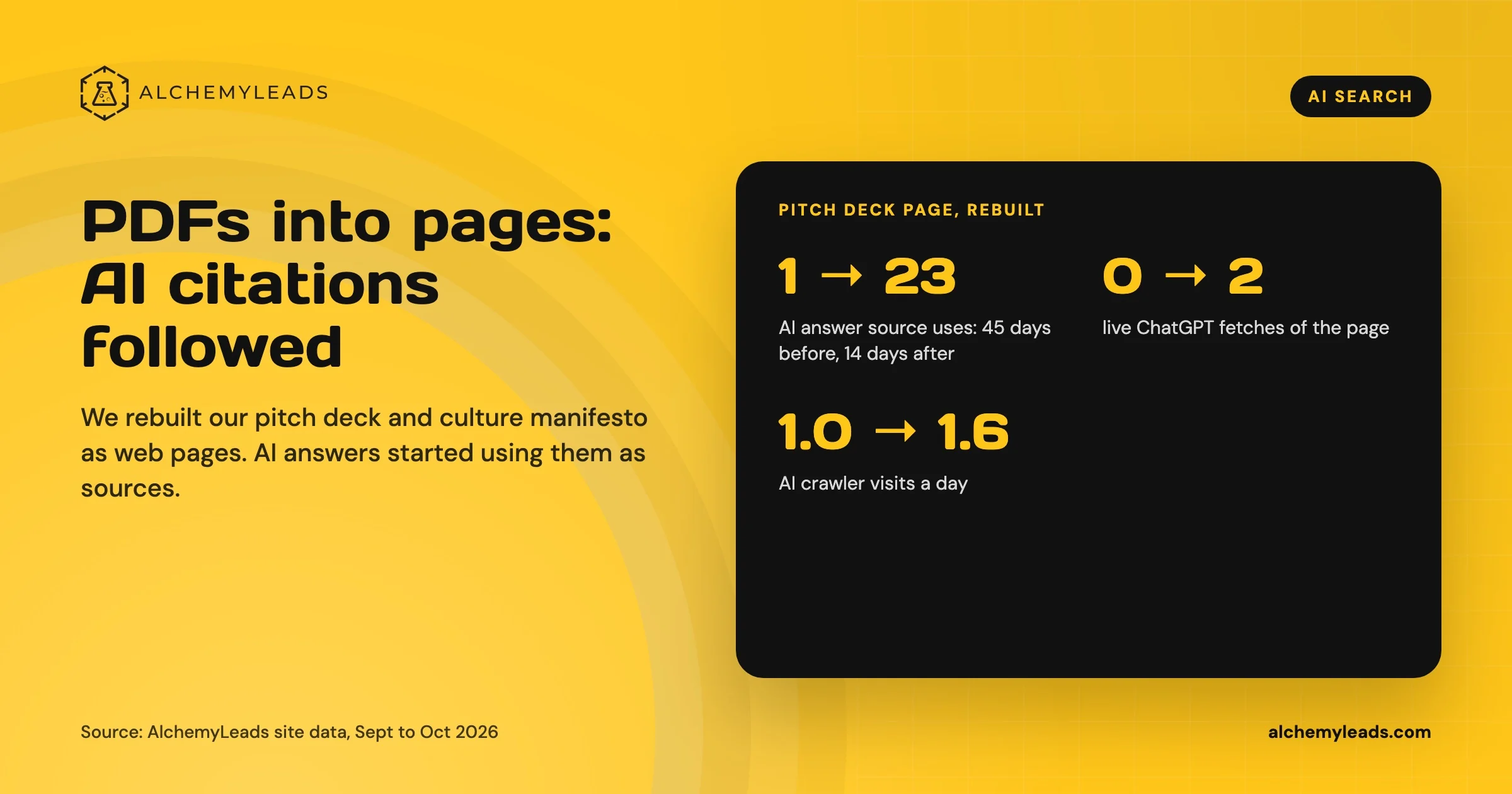
Gated Content and AI Search: Why We Turn PDFs Into Web Pages
Gated content and PDFs hide your best information from AI search. Our before-and-after data from rebuilding two embedded files as web pages, and how to keep PDF downloads as a conversion.
October 14, 2026
Contact us
We value your privacy and won't share your email with others.
We'll only contact you with curated content.
