
Add as a preferred source on Google
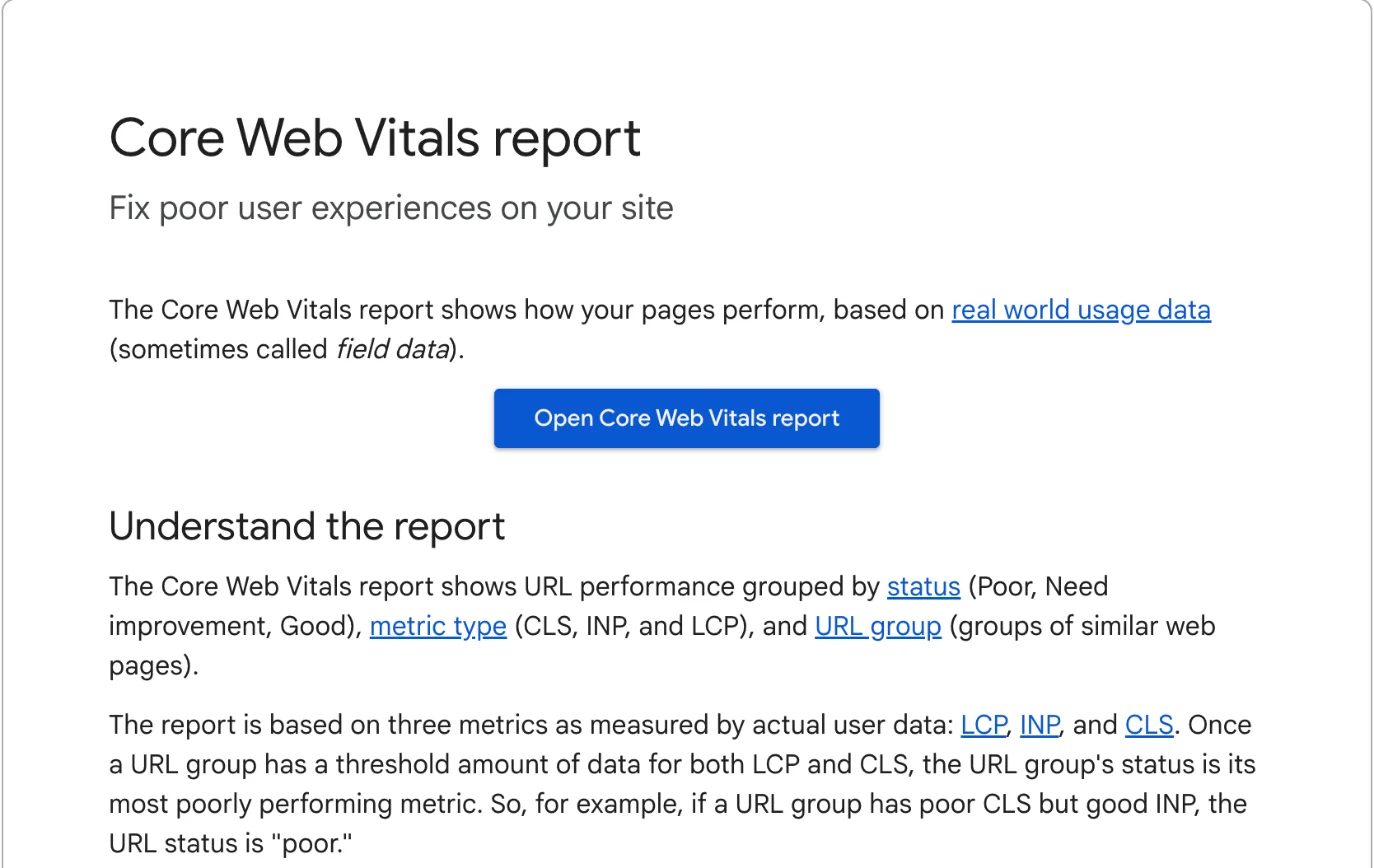
Google announced in 2020 that websites with a good user experience would be favored in search engine result pages. In line with that, Google launched a set of performance metrics (Core Web Vitals) to make things easier for marketers and developers.
Core Web Vitals are three Google metrics that measure the real-user experience of a page: Largest Contentful Paint (LCP) for loading, Interaction to Next Paint (INP) for responsiveness, and Cumulative Layout Shift (CLS) for visual stability. Here we look at each one, the scores to aim for, and the steps you can take to improve them.
What are Core Web Vitals?
Core Web Vitals are a set of user experience metrics Google announced in 2020. They became part of Google Search ranking with the page experience update, which rolled out from mid-June to the end of August 2021.
Google says Core Web Vitals are still used by its ranking systems today, although good scores do not guarantee top rankings. The bigger payoff is a fast, stable site that keeps visitors around long enough to become leads and customers.
Core Web Vitals are the measurable core of Google’s page experience guidance, which rewards pages that load quickly, respond fast and stay visually stable.
Core Web Vitals Overview
Loading, Interactivity, and Visual Stability are among the most important metrics of user experience. Here are the critical metrics that form the Core Web Vitals:
- CLS (Cumulative Layout Shift)
- INP (Interaction to Next Paint)
- LCP (Largest Contentful Paint)
Google assesses each metric at the 75th percentile of real page loads, measured separately for mobile and desktop. A page passes the Core Web Vitals assessment when all three metrics meet the good threshold.
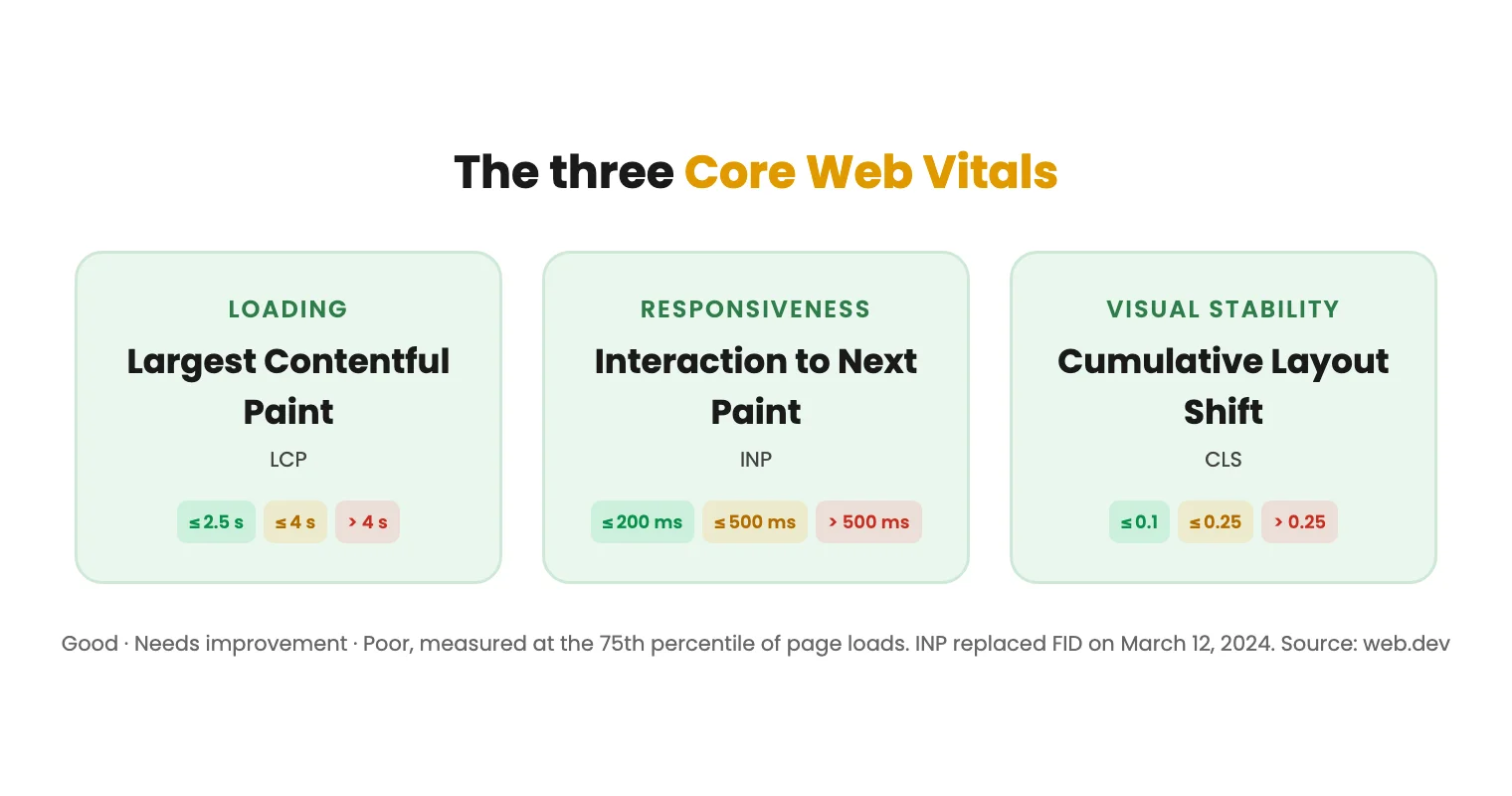
Core Web Vitals form the basis of how the user is interacting with your website. These metrics will help you gauge how users are interacting with your site.
Largest Contentful Paint (LCP): Loading
The largest contentful paint (LCP) is the simplest among the three core web vitals. LCP is the total loading speed of your page’s main content, including a block of text, images, and videos.
Google considers LCP good when the main content renders within 2.5 seconds for at least 75 percent of page visits.
This is because Google uses the LCP data to determine your site’s user experience. Besides server response and resource load times, other things like Javascript and CSS will also affect your LCP.
How to Check Your Largest Contentful (LCP) Score
Page loading time is a vital thing for your website. Most visitors will leave your page if it takes longer to load.
Slow pages cost you visitors, and with them leads: the longer your main content takes to appear, the more people leave before it loads.
Most internet users are busy and will not wait for your page to load, as they associate a slow landing page or homepage with a bad user experience for the entire site.
In July 2018, Google’s Speed Update began using page speed as a ranking factor in mobile search for pages that deliver the slowest experience. LCP, however, measures the time it takes for users to access the majority of the content from when they first click the website.
One way to check your LCP score is using your Google Search Console. Its Core Web Vitals report uses real-user data from the Chrome User Experience Report (CrUX) to group your URLs as Good, Need improvement or Poor, separately for mobile and desktop.
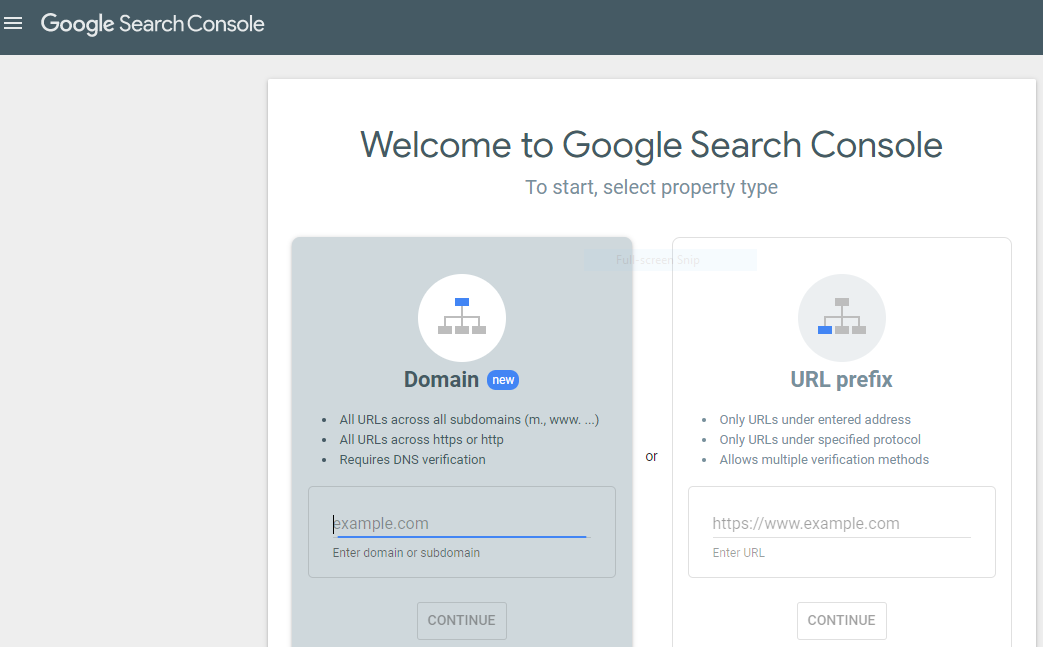
- LCP of 2.5 seconds or less: good
- LCP over 2.5 and up to 4 seconds: needs improvement
- LCP above 4 seconds: poor
Interaction to Next Paint (INP): Responsiveness
Interaction to Next Paint (INP) is the Core Web Vital for responsiveness. INP replaced First Input Delay (FID) as a Core Web Vital on March 12, 2024.
INP observes the clicks, taps and key presses a visitor makes during the whole visit and reports the longest delay between an interaction and the next frame the browser paints, ignoring outliers. FID only measured the delay before the browser started handling the first interaction, so INP gives a fuller picture of how responsive a page feels.
Google considers INP good at 200 milliseconds or less. Anything above 200 ms needs improvement, and an INP above 500 ms is poor.
How to Check Your INP Score
INP covers the responsiveness of everyday interactions, such as:
- Menu
- Navigation to another page
- Enter email
- Search feature
As with LCP, the Core Web Vitals report in Google Search Console shows your site’s INP from real-user data. For a single URL, PageSpeed Insights shows INP field data from CrUX.
The INP score is ranked as good, needs improvement, or poor:
- INP of 200 ms or less: Good
- INP over 200 ms and up to 500 ms: Needs improvement
- INP over 500 ms: Poor
Cumulative Layout Shift (CLS): Visual Stability
The last Core Web Vital metric is Cumulative Layout Shift (CLS). Unlike LCP (which focuses on loading) and INP (which focuses on responsiveness), the main focus of CLS is visual stability.
Specifically, CLS checks how stable your page content is by ensuring that no shifts occur in your layout.
Your site will have a content shift if the content a user is looking for takes longer to load. In most cases, another content occurs suddenly, which delays the main content from loading in what is referred to as content shift.
CLS score will help you determine how stable your website is based on how it displays content.
However, it is important to note that not all layout shifts are bad. Bad layout shifts are the ones that occur during loading when the user is not expecting them. Shifts that are clear to the user are not bad.
How to Check Your CLS Score
As with LCP and INP, CLS is ranked as good, needs improvement, and poor:
- CLS of 0.1 or less: Good
- CLS over 0.1 and up to 0.25: Needs improvement
- CLS over 0.25: Poor
Why Does Core Web Vitals Matter?
Most website owners and marketers give little attention to shifts in the Google algorithm. However, this is a critical element, especially if you run an online, eCommerce, or SaaS business.
Core Web Vitals are among the signals Google’s ranking systems use, so a slow, unstable site can lose ground to competitors with similar content and a better experience.
Even if you operate a traditional brick-and-mortar business but have an online ordering option or are marketing your business using a website, you should not ignore the Core Web Vitals.
Google is clear that relevant, helpful content comes first and that good scores alone do not guarantee top rankings. A better page experience still helps, and it keeps more visitors on the page long enough to call, buy or fill out a form.
If your website has a poor user experience, visitors leave sooner and you can lose visibility to competitors with faster, more stable sites.
If you have not looked at your Core Web Vitals yet, start with the Search Console report. If you need a helping hand, experts at AlchemyLeads are here for you.
We have tracked Google’s page experience update since it launched and can improve your website experience so it keeps turning visitors into leads.
Ways to Improve Your Web Vitals Scores
If you have read this far, you want to improve your Core Web Vitals and are wondering how. Luckily, we are here to help.
Google’s page experience update rolled out between mid-June and the end of August 2021. Its main goal is to reward websites that give users the experience and the content they want.
If you create content with your target audience in mind, you must remain relevant and rank in search engine results pages.
To find what to fix, use PageSpeed Insights for real-user (CrUX) and lab data on any URL, the Search Console Core Web Vitals report for site-wide trends, and the Performance panel in Chrome DevTools for live metrics while you test. Lighthouse measures LCP and CLS in the lab and uses Total Blocking Time as a stand-in for INP. The Web Vitals Chrome extension is no longer supported; its features moved into Chrome DevTools in January 2025.
How to Improve Your LCP Score
As you’ve seen earlier, pages that load slowly will scare users off your site. Most users won’t wait for your page to finish loading. They will move to the next website regardless of how good your content is. Too bad, right?
Poor LCP score in most pages is caused by larger elements like images and block of text. By improving your LCP score, your users will have an easy experience when navigating your site.
Here are top ways to improve your LCP score:
- Find a better web host: Upgrading your web host will boost load times overall (including LCP)
- Remove third-party scripts that you are not using: unnecessary third-party scripts can slow your page down.
- Get rid of large elements: Use Google PageSpeed Insights to check if any elements are slowing your page’s LCP
- Lazy load images below the fold, but never lazy load the main (LCP) image, since that delays it and hurts LCP
- Minimize your CSS: Bulky codes will delay your LCP times.
How to Improve Your INP Score
A good INP score matters most on pages with lots of interaction, such as menus, filters, forms and carts. INP measures the delay from when a user clicks, taps or types to when the page visibly responds.
Users will bounce if your page’s buttons take a long time to respond. Here are the best ways to improve your INP score:
- Remove unnecessary third-party scripts: heatmaps, chat widgets and extra tags compete for the browser’s main thread and slow down responses.
- Reduce (or defer) JavaScript: heavy script work during loading blocks input, so ship less code and defer what is not needed right away.
- Break up long tasks: yield to the main thread so the browser can respond to the user between chunks of work.
- Keep event handlers light: run only the work needed for the next visual update first and defer the rest.
- Keep the DOM small: large pages take longer to render after each interaction.
How to Improve Your CLS (Cumulative Layout Shift)
Various reasons can cause a poor CLS on your website, including:
- Ads and iframes without dimensions
- Images without dimensions
- Web Fonts causing FOIT/FOUT
- Content injected dynamically
- Response content waiting for DOM update
To improve the CLS score, you need to take steps to stop the page from shifting when loading. Here are changes you can make to improve your CLS:
- Ensure that all your media dimensions, including images, videos, GIFs, etc., use the right size attributes. This way, the browser will hold the space when your web pages are loading.
- Establish the new user interface elements below the fold to ensure the initial design isn’t changed when the visitor clicks something.
- Be mindful of custom font loading. Preload only your critical fonts and use font-display: optional or size-adjusted fallback fonts so text does not jump when fonts swap in.
- Have reserve space for ad elements to avoid accidental clicks.
- Avoid unexpected responsiveness for email signup forms, GDPR notices, etc.
Improve Your Core Web Vitals for SEO with AlchemyLeads
As you have seen, Core Web Vitals measure the experience people get on your pages, and Google’s ranking systems use them. Users expect fast, stable pages, and these metrics show where yours fall short.
Keeping your Core Web Vitals in good shape requires ongoing work. For one, these changes will require a lot of time and skills.
If you are like most business owners, you are looking for a reputable SEO company to update to handle these changes to maintain a robust online presence.
We are here to take the load off your shoulders so you can focus on the important parts of running your website. Our SEO and web design experts at AlchemyLeads will ensure that your website is up to date with these three Core Web Vitals and other critical updates.
Google ranking is constantly shifting, and having us on your side will ensure that you are in a position to adapt to these changes as they occur.
At AlchemyLeads, we understand that Core Web Vitals only form part of the Google Search algorithm, and as such, should not be your only focus. Helpful content, a mobile-friendly design and fast pages work together to bring in traffic and leads.
Some of the tasks we implement to improve your page’s load times and mobile experience include:
- Redirect Reduction
- Minimize HTTP Requests
- Defer JavaScript & JavaScript Loading
- Enable Browser Caching
- Minify Resources
- Optimize Images
- Enable Compression
- Reduce Server Response Time
- Optimize CSS Delivery
- Optimize Fonts
- Eliminate Render-Blocking Resources
- Minimize JavaScript & CSS
- Prioritize Above the Fold Content
- Lazy Load External Scripts
- Shove Scripting Below the Fold
Eliminate Render-Blocking Resources
Here is a small trick from Israel Gaudette to reduce your render-blocking by ~200ms (Which improves CWV)
If you don’t use Gutenberg blocks, you can disable it, and its CSS classes easily using the following procedure;
1. Download the Code Snippets plugin: wordpress.org/plugins/code-snippets
2. Create a new snippet (load sitewide) with the following code:
// Fully Disable Gutenberg editor.
add_filter(‘use_block_editor_for_post_type’, ‘__return_false’, 10);
// Don’t load Gutenberg-related stylesheets.
add_action( ‘wp_enqueue_scripts’, ‘remove_block_css’, 100 );
function remove_block_css() {
wp_dequeue_style( ‘wp-block-library’ ); // WordPress core
wp_dequeue_style( ‘wp-block-library-theme’ ); // WordPress core
wp_dequeue_style( ‘wc-block-style’ ); // WooCommerce
wp_dequeue_style( ‘storefront-gutenberg-blocks’ ); // Storefront theme
}
All these will help improve user engagement, boost traffic, and increase revenue when you apply these tactics continuously. If you need any help optimizing your core web vitals, please reach out to us by filling out the form below this post.
Suggested
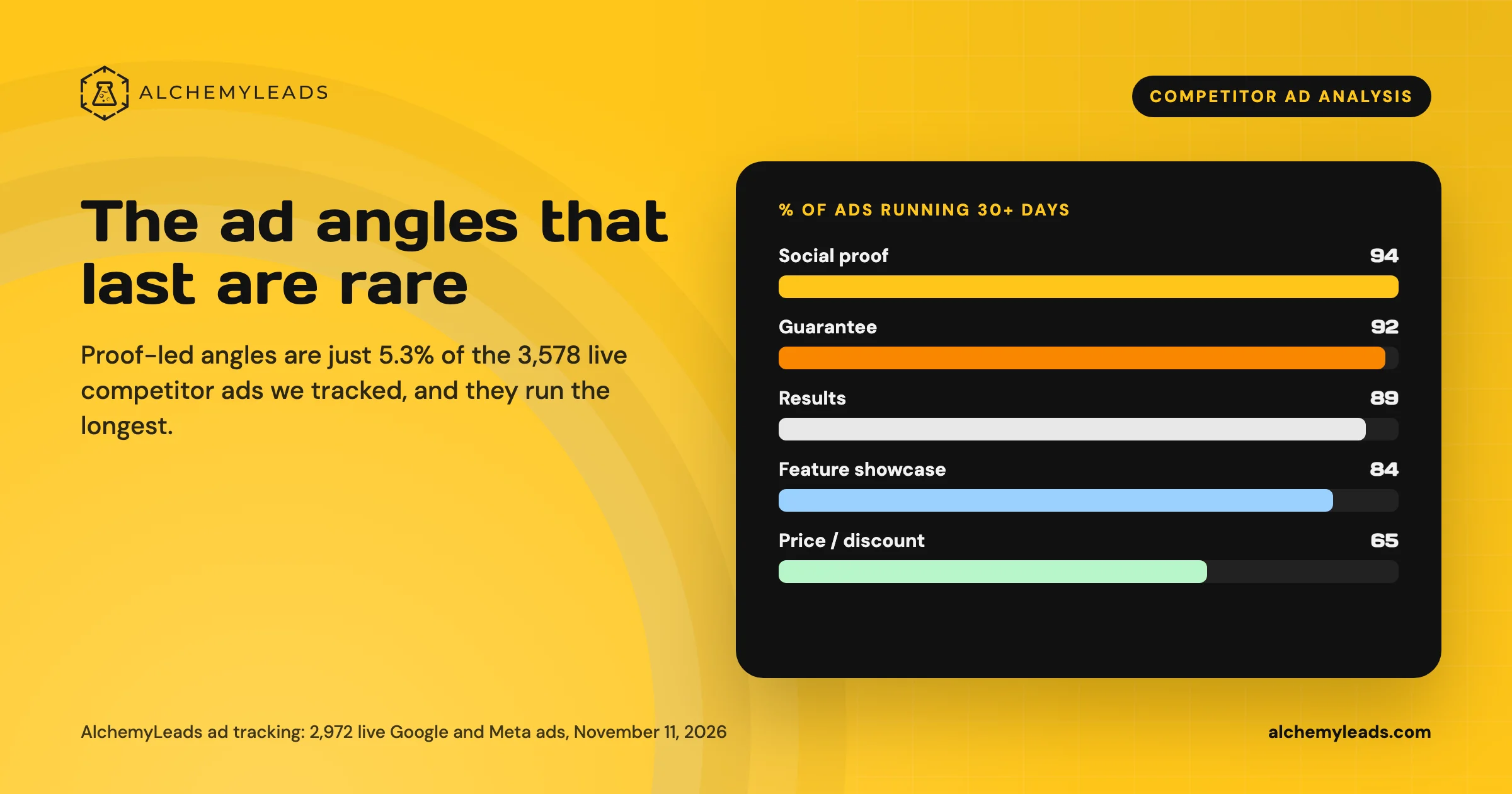
Competitor Ad Analysis: What 3,578 Live Ads Say About the Creative That Lasts
We tracked 3,578 live competitor ads on Google, Meta and LinkedIn. Proof-led angles are the rarest and run the longest. See the data and the playbook.
November 11, 2026
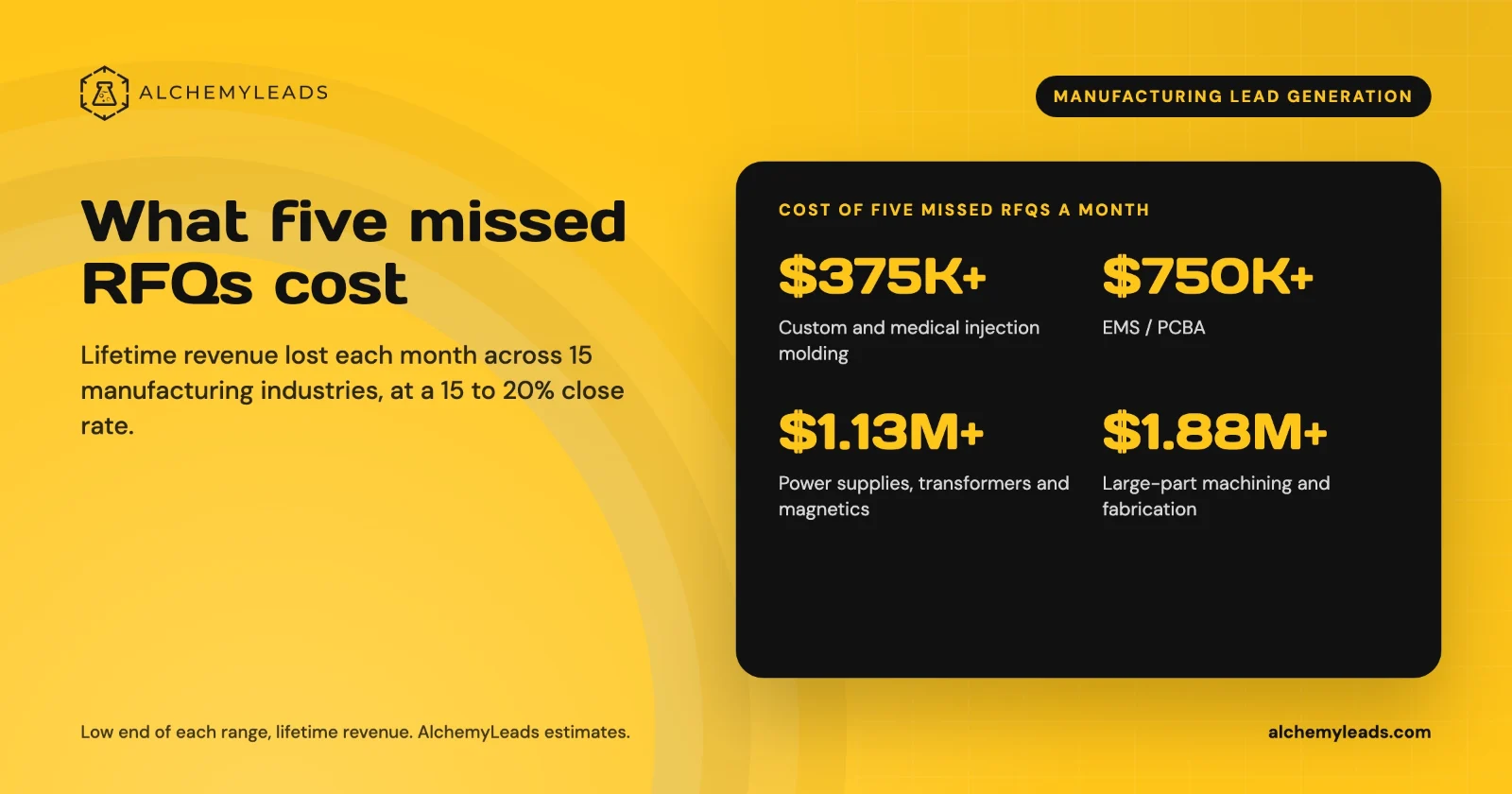
The Cost of Inaction in Manufacturing Lead Generation: What Five Missed RFQs a Month Cost in 15 Industries
What five missed RFQs a month cost across 15 manufacturing industries, with a cost of inaction calculator.
October 27, 2026
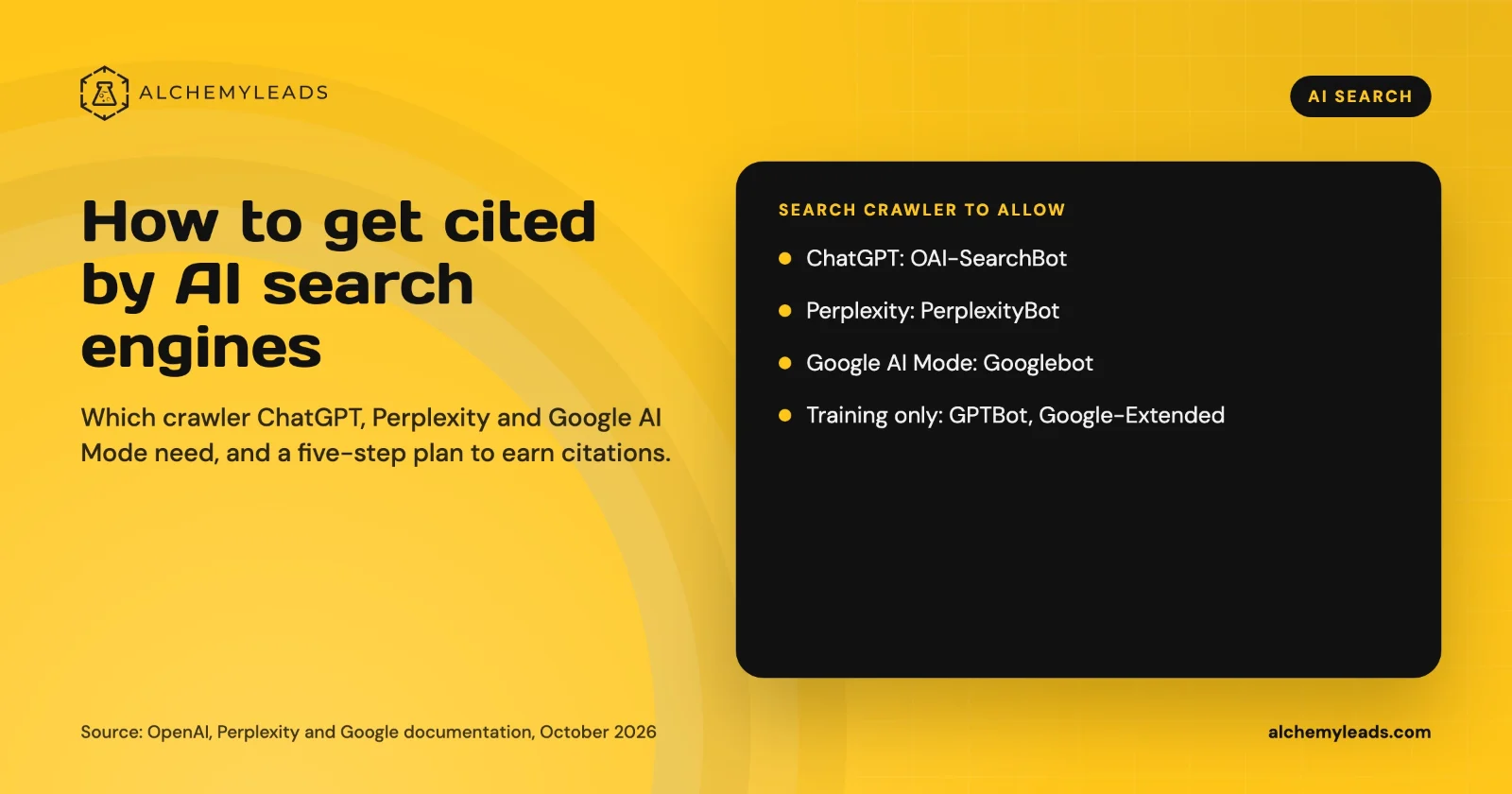
How to Get Cited by ChatGPT, Perplexity and Google AI Mode
How ChatGPT, Perplexity and Google AI Mode choose sources, which crawlers to allow, and a five-step plan to get your company cited, based on official docs.
October 26, 2026
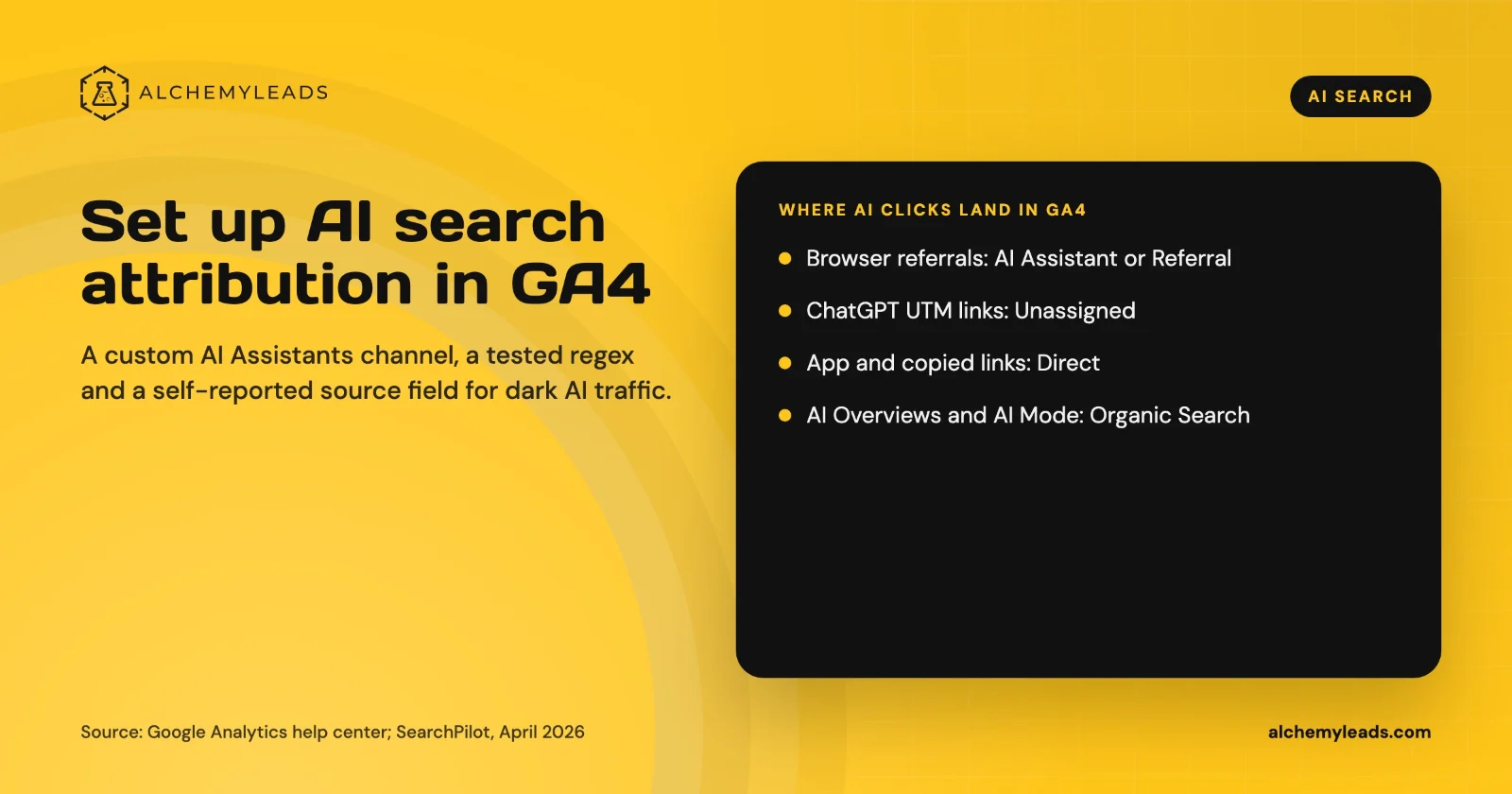
How to Set Up AI Search Attribution in GA4: A Step-by-Step Guide for 2026
Step-by-step GA4 setup for AI search attribution: an AI Assistants channel, a copy-paste regex, ChatGPT UTM fixes and a self-reported AI source field.
October 26, 2026
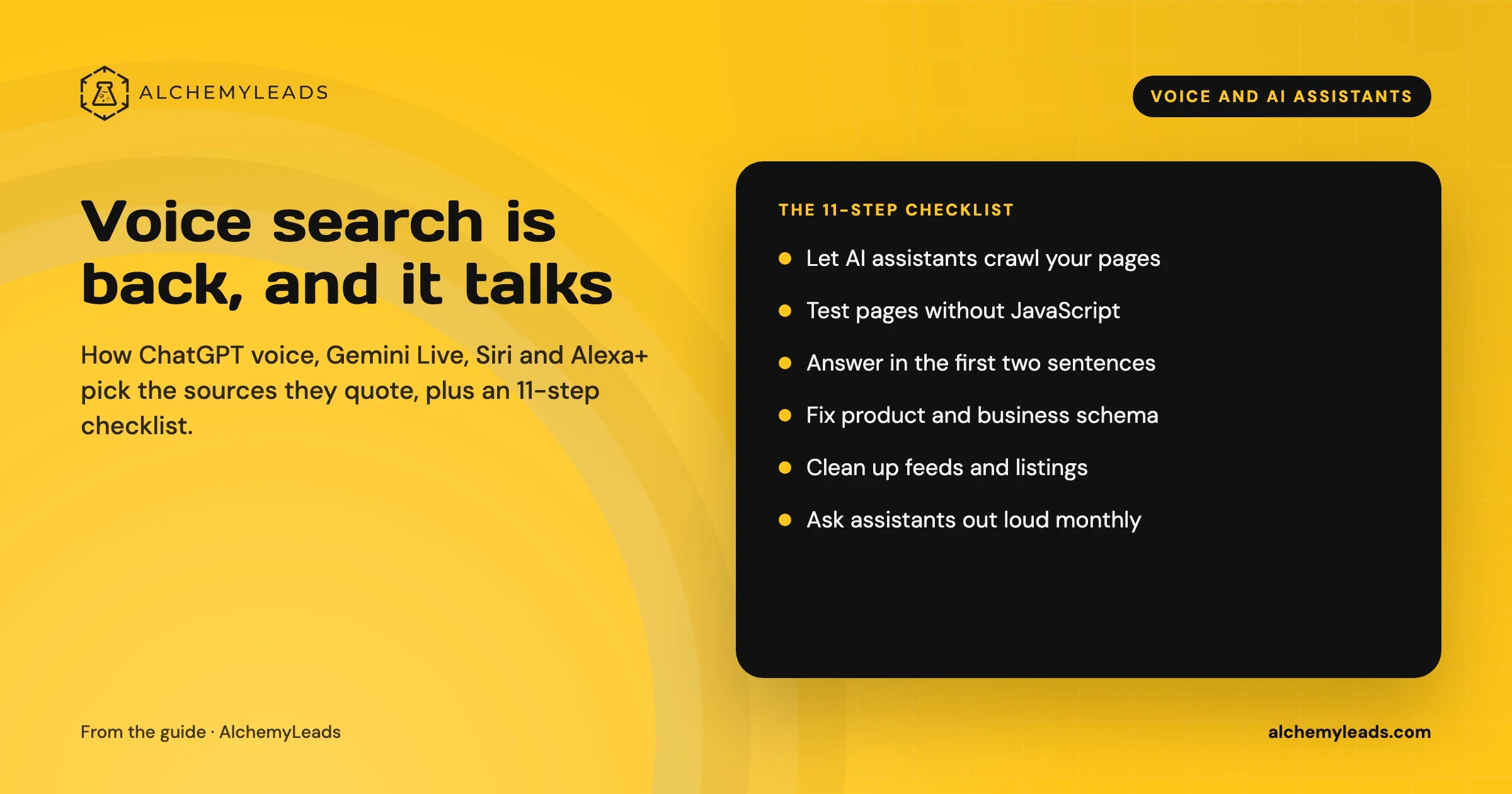
Voice Search in 2026: How AI Assistants Pick Their Sources
We first wrote about voice search in 2022, when the question was whether “Hey Siri” and “OK Google” would change how people shop. Four years later, voice is back in a bigger form. People now talk to ChatGPT, Gemini, Siri, Alexa+ and Copilot the way they talk to a knowledgeable friend, and those assistants answer by reading the web in
October 17, 2026
Contact us
We value your privacy and won't share your email with others.
We'll only contact you with curated content.
