
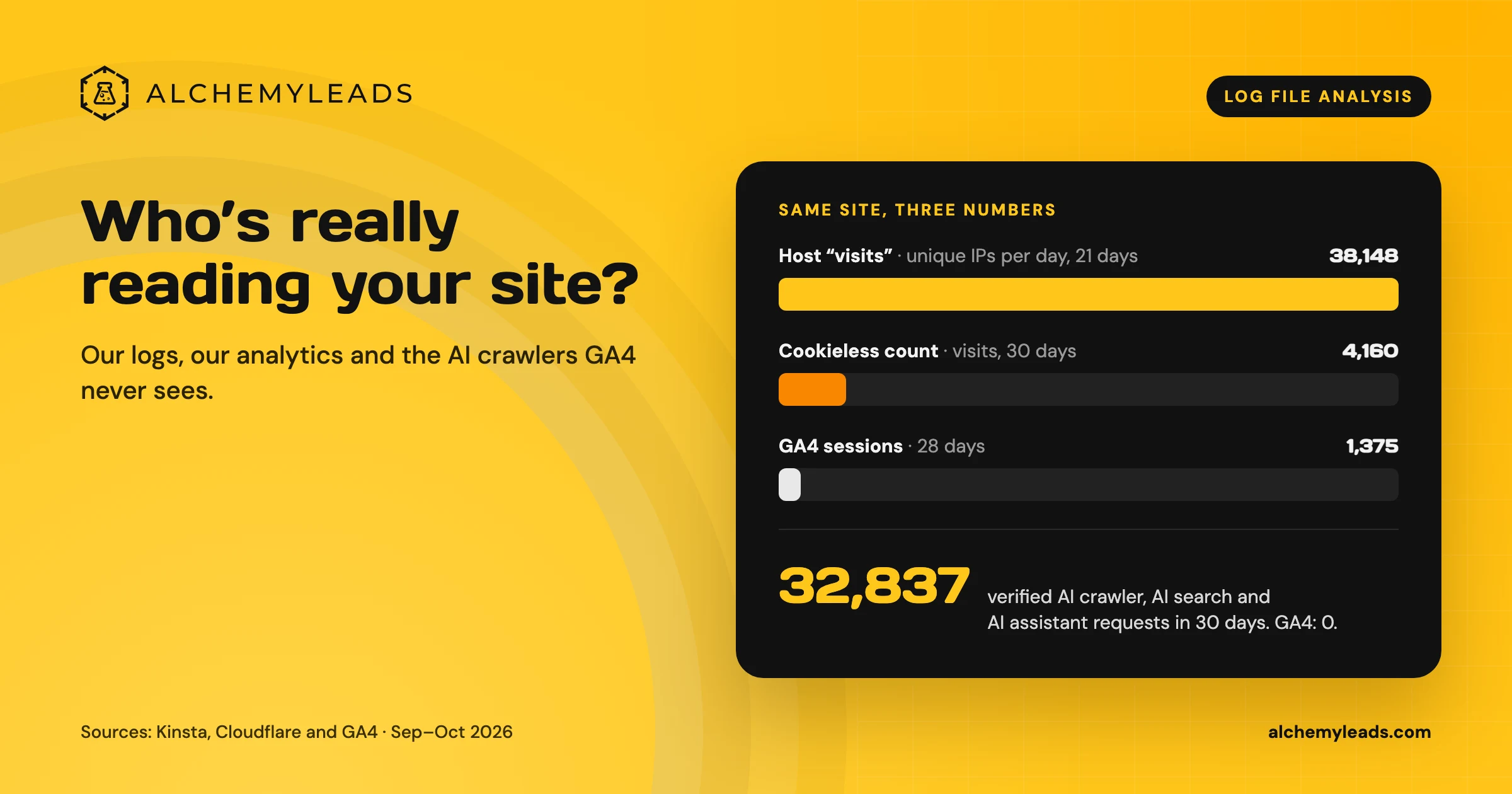
GA4 can’t tell you whether ChatGPT, Claude or Perplexity read your pages. AI crawlers don’t run your analytics tag. On our own site, the host counted 38,148 visits while GA4 counted 1,375 sessions, and only the logs showed what the AI engines were doing. We wrote up what we found in log file analysis for AI search.
This tutorial builds the tool behind that analysis. It answers two questions for every page on your site:
- Do AI crawlers read it? A Worker logs every AI crawler request to Workers Analytics Engine.
- Would a retrieval engine pull it back for a buyer’s question? Cloudflare AI Search indexes your site the way a RAG pipeline does, then you run your buyer prompts against it.
Put the two answers side by side and every page lands in one of four boxes:
| Retrieved for buyer prompts | Not retrieved | |
|---|---|---|
| Crawled by AI bots | Working | Content problem. Bots read it, but it doesn’t answer the question. |
| Not crawled | Discovery problem. The page is good, but bots don’t reach it. | Low priority, or prune it |
What you’ll build
-
ai-crawl-logger: a Worker on your site’s route that writes one data point per AI crawler request to Analytics Engine. It doesn’t change the response. -
An AI Search instance that crawls your own site from its sitemap.
-
ai-crawl-monitor: a Worker that queries both, sorts pages into the four boxes, and posts a weekly summary to Slack.
Before you start
-
A domain proxied through Cloudflare (orange cloud). AI Search can only crawl domains that are onboarded to the same Cloudflare account.
-
A Workers Paid plan, needed for Analytics Engine and Cron Triggers at any real volume.
-
Wrangler installed and logged in.
-
An API token with Account › Account Analytics › Read, for the Analytics Engine SQL API.
If your site already runs a Worker on its main route, add the logging code from Step 2 to that Worker. Two Workers can’t serve the same route pattern. On alchemyleads.com, the logging lives inside our existing edge SEO Worker.
Step 1: Mark verified bots with a Transform Rule
A user agent string proves nothing. In 30 days on our site, about 86,000 requests used an AI crawler’s name, and only 32,837 came from verified AI bots. Your log needs to tell the two apart.
On Enterprise Bot Management plans, the Worker can read request.cf.botManagement.verifiedBot directly. On every other plan, have Cloudflare’s rules engine mark verified bots with a request header:
- In the dashboard, go to Rules › Transform Rules › Modify Request Header.
- Create a rule named Strip spoofed bot header:
- When: All incoming requests
- Then: Remove header
x-known-bot
- Create a second rule below it, named Mark verified bots:
- When (custom expression):
(cf.client.bot) - Then: Set static header
x-known-botto1
- When (custom expression):
The first rule matters. Without it, anyone could send x-known-bot: 1 and look verified.
Request header Transform Rules run before Workers, so the Worker in Step 2 sees the header. When we turned this on for alchemyleads.com, the first two rows in the log showed the difference right away. A test request we sent with GPTBot’s user agent from a home broadband connection was logged unverified. A GoogleOther request from Google’s own network was logged verified.
Step 2: Log AI crawler requests with a Worker
Create the project:
npm create cloudflare@latest -- ai-crawl-logger --type=hello-world --lang=js
cd ai-crawl-logger
Replace wrangler.toml with this config. Use your own domain, and leave the dataset name as it is (Analytics Engine creates the dataset on the first write):
name = "ai-crawl-logger"
main = "src/index.js"
compatibility_date = "2026-10-01"

routes = [
  { pattern = "example.com/*", zone_name = "example.com" }
]

[[analytics_engine_datasets]]
binding = "AI_CRAWL"
dataset = "ai_crawler_hits"
Replace src/index.js:
// Each AI company runs several agents. Log all of them, tagged by purpose:
// "training" builds models, "search" builds an index, "user" fetches a page
// live because a person asked the assistant a question.
const AI_BOTS = [
  { token: "GPTBot", operator: "OpenAI", purpose: "training" },
  { token: "OAI-SearchBot", operator: "OpenAI", purpose: "search" },
  { token: "ChatGPT-User", operator: "OpenAI", purpose: "user" },
  { token: "ClaudeBot", operator: "Anthropic", purpose: "training" },
  { token: "Claude-SearchBot", operator: "Anthropic", purpose: "search" },
  { token: "Claude-User", operator: "Anthropic", purpose: "user" },
  { token: "PerplexityBot", operator: "Perplexity", purpose: "search" },
  { token: "Perplexity-User", operator: "Perplexity", purpose: "user" },
  { token: "Applebot", operator: "Apple", purpose: "search" },
  { token: "Amazonbot", operator: "Amazon", purpose: "training" },
  { token: "meta-externalagent", operator: "Meta", purpose: "training" },
  { token: "meta-externalfetcher", operator: "Meta", purpose: "user" },
  { token: "DuckAssistBot", operator: "DuckDuckGo", purpose: "search" },
  { token: "MistralAI-User", operator: "Mistral", purpose: "user" },
  { token: "CCBot", operator: "Common Crawl", purpose: "training" },
  { token: "Bytespider", operator: "ByteDance", purpose: "training" },
];

function matchBot(userAgent) {
  const ua = userAgent.toLowerCase();
  return AI_BOTS.find((bot) => ua.includes(bot.token.toLowerCase()));
}

function isVerified(request) {
  // Enterprise Bot Management exposes this directly; other plans use the
  // header set by the Transform Rule in Step 1.
  const verifiedBot = request.cf?.botManagement?.verifiedBot;
  if (typeof verifiedBot === "boolean") return verifiedBot;
  return request.headers.get("x-known-bot") === "1";
}

export default {
  async fetch(request, env, ctx) {
    // If anything here throws, send the request straight to the origin.
    ctx.passThroughOnException();

    const response = await fetch(request);
    const bot = matchBot(request.headers.get("user-agent") || "");

    if (bot && env.AI_CRAWL) {
      const url = new URL(request.url);
      const contentType = response.headers.get("content-type") || "";

      // writeDataPoint is non-blocking, so logging adds no latency.
      env.AI_CRAWL.writeDataPoint({
        indexes: [url.hostname],
        blobs: [
          url.hostname, // blob1
          url.pathname, // blob2
          bot.token, // blob3
          bot.operator, // blob4
          bot.purpose, // blob5
          isVerified(request) ? "verified" : "unverified", // blob6
          String(request.cf?.asOrganization || ""), // blob7: network the request came from
          contentType.includes("text/html") ? "page" : "asset", // blob8
        ],
        doubles: [
          response.status, // double1
          Number(request.cf?.asn || 0), // double2
        ],
      });
    }

    return response;
  },
};
Deploy it:
npx wrangler deploy
Check that the Worker didn’t change your pages. Load a few as a logged-out visitor and confirm they look the same. The Worker only reads the response and passes it through.
Step 3: Query the log with the SQL API
Save your account ID and API token as environment variables:
export CF_ACCOUNT_ID="your-account-id"
export CF_API_TOKEN="your-analytics-read-token"
Data points start arriving within a minute or two. Analytics Engine keeps three months of data, which is enough for a trend line. Detailed firewall events are kept for a much shorter time.
Which AI agents visit, and how many are real?
curl "https://api.cloudflare.com/client/v4/accounts/$CF_ACCOUNT_ID/analytics_engine/sql" \
  --header "Authorization: Bearer $CF_API_TOKEN" \
  --data "
SELECT blob4 AS operator, blob3 AS bot, blob5 AS purpose, blob6 AS verification,
       SUM(_sample_interval) AS requests
FROM ai_crawler_hits
WHERE timestamp > NOW() - INTERVAL '30' DAY
GROUP BY operator, bot, purpose, verification
ORDER BY requests DESC
FORMAT JSON"
High unverified counts for a big-name bot usually mean scrapers are borrowing its name. Look at blob7 (the network) for those rows: a “PerplexityBot” coming from a generic hosting provider isn’t Perplexity.
The paths those requests ask for give them away too. In our own log, several of the most-requested “AI crawler” paths were /.env, /.env.local and /@fs/.env, which are probes for leaked secrets. Real AI crawlers don’t go looking for credential files. Vulnerability scanners do, and they borrow AI crawler names to get past bot rules.
Which pages do verified AI crawlers read most?
SELECT blob2 AS path, SUM(_sample_interval) AS requests
FROM ai_crawler_hits
WHERE timestamp > NOW() - INTERVAL '30' DAY
  AND blob6 = 'verified'
  AND blob8 = 'page'
GROUP BY path
ORDER BY requests DESC
LIMIT 25
FORMAT JSON
Compare this list with the pages you want cited. If a money page isn’t on it, AI engines aren’t reading it.
Are you blocking or breaking pages for real AI crawlers?
SELECT blob3 AS bot, blob2 AS path, double1 AS status, SUM(_sample_interval) AS requests
FROM ai_crawler_hits
WHERE timestamp > NOW() - INTERVAL '7' DAY
  AND blob6 = 'verified'
  AND double1 >= 400
GROUP BY bot, path, status
ORDER BY requests DESC
LIMIT 50
FORMAT JSON
403s on verified crawlers mean a firewall rule is costing you citations. 404s show broken links that crawlers found before your visitors did. On our site, this query caught a five-day spike of /null URLs, created by a front-end script that only Meta’s rendering crawler ran.
Step 4: Index your site with Cloudflare AI Search
AI Search is Cloudflare’s managed retrieval service (formerly AutoRAG). With the Website data source, it crawls your sitemap, converts each page to Markdown, splits it into chunks and indexes them for hybrid semantic and keyword search. That’s the same basic pipeline an AI answer engine runs before it decides what to quote.
- In the dashboard, go to AI › AI Search and create an instance. This tutorial names it
example-site. - Choose Website as the data source and select your domain.
- Keep the Sitemap parse type. Choose the headless-browser rendering mode only if your pages need JavaScript to show their main content.
- Let the first crawl finish before you move on.
You can also create the instance with the REST API. This needs a token with AI Search edit permission:
curl "https://api.cloudflare.com/client/v4/accounts/$CF_ACCOUNT_ID/ai-search/namespaces/default/instances" \
  --header "Authorization: Bearer $CF_API_TOKEN" \
  --header "Content-Type: application/json" \
  --data '{"id": "example-site", "type": "web-crawler", "source": "example.com"}'
Track progress at .../instances/example-site/stats. It reports queued, running, completed and errored pages.
Don’t block your own crawler. Your bot rules apply to the AI Search crawler too. If you run WAF custom rules, Bot Fight Mode or Bot Management, add an exception for Bot Detection ID 122933950, as described in the Website data source docs. This is the same lesson as with real AI crawlers: broad bot rules can quietly lock out the agents you want in.
Step 5: Write your buyer prompts
The prompts decide what “retrieved” means, so write them the way your buyers ask AI assistants. Don’t write them as keywords. Pull them from sales calls, Search Console queries phrased as questions, and whatever your AI visibility tool tracks.
Aim for 15 to 30, spread across the buying journey:
- Problem: “Why does my site get AI crawler traffic but no citations?”
- Comparison: “Edge SEO vs. changing the CMS: which is faster for technical fixes?”
- Vendor: “What should I ask an AI SEO agency before hiring one?”
Step 6: Build the monitor Worker
This Worker pulls crawled pages from Analytics Engine, runs every prompt against AI Search, sorts each page into a box, and serves the result as JSON. A weekly Cron Trigger posts a summary to Slack.
npm create cloudflare@latest -- ai-crawl-monitor --type=hello-world --lang=js
cd ai-crawl-monitor
wrangler.toml:
name = "ai-crawl-monitor"
main = "src/index.js"
compatibility_date = "2026-10-01"

[vars]
SITE_HOST = "example.com"
LOOKBACK_DAYS = "30"

[[ai_search]]
binding = "SITE_SEARCH"
instance_name = "example-site"

[triggers]
crons = ["0 14 * * 1"] # Mondays, 14:00 UTC
Add the secrets:
npx wrangler secret put CF_ACCOUNT_ID
npx wrangler secret put CF_API_TOKEN
npx wrangler secret put REPORT_KEY        # any long random string; protects the JSON endpoint
npx wrangler secret put SLACK_WEBHOOK_URL # optional
src/index.js:
// Buyer prompts from Step 5.
const PROMPTS = [
  "Why does my site get AI crawler traffic but no citations?",
  "Edge SEO vs. changing the CMS: which is faster for technical fixes?",
  "What should I ask an AI SEO agency before hiring one?",
];

const RESULTS_PER_PROMPT = 10;

// Make Analytics Engine paths and AI Search keys comparable:
// "https://example.com/blog/post/" and "/blog/post" both become "/blog/post".
function normalizePath(value) {
  if (!value) return null;
  try {
    let url;
    if (value.startsWith("http")) url = new URL(value); // full URL
    else if (value.startsWith("/")) url = new URL(value, "https://placeholder.invalid"); // bare path
    else url = new URL(`https://${value}`); // host + path, no scheme
    const path = url.pathname.replace(/\/+$/, "");
    return path === "" ? "/" : path;
  } catch {
    return null;
  }
}

async function getCrawledPaths(env) {
  const days = Number(env.LOOKBACK_DAYS) || 30;
  const host = env.SITE_HOST.replace(/'/g, "");
  const sql = `
    SELECT blob2 AS path, SUM(_sample_interval) AS hits
    FROM ai_crawler_hits
    WHERE timestamp > NOW() - INTERVAL '${days}' DAY
      AND blob1 = '${host}'
      AND blob6 = 'verified'
      AND blob8 = 'page'
    GROUP BY path
    FORMAT JSON`;

  const res = await fetch(
    `https://api.cloudflare.com/client/v4/accounts/${env.CF_ACCOUNT_ID}/analytics_engine/sql`,
    { method: "POST", headers: { Authorization: `Bearer ${env.CF_API_TOKEN}` }, body: sql },
  );
  if (!res.ok) throw new Error(`Analytics Engine SQL ${res.status}: ${await res.text()}`);

  const { data = [] } = await res.json();
  const crawled = new Map();
  for (const row of data) {
    const path = normalizePath(row.path);
    if (path) crawled.set(path, (crawled.get(path) || 0) + Number(row.hits));
  }
  return crawled;
}

async function getRetrievedPaths(env) {
  const retrieved = new Map(); // path -> prompts that retrieved it
  for (const prompt of PROMPTS) {
    const { chunks = [] } = await env.SITE_SEARCH.search({
      query: prompt,
      ai_search_options: { retrieval: { max_num_results: RESULTS_PER_PROMPT } },
    });
    const paths = new Set(chunks.map((chunk) => normalizePath(chunk.item?.key)).filter(Boolean));
    for (const path of paths) {
      if (!retrieved.has(path)) retrieved.set(path, []);
      retrieved.get(path).push(prompt);
    }
  }
  return retrieved;
}

function classify(crawled, retrieved) {
  const paths = new Set([...crawled.keys(), ...retrieved.keys()]);
  const rows = [...paths].map((path) => {
    const crawlHits = crawled.get(path) || 0;
    const prompts = retrieved.get(path) || [];
    let box;
    if (crawlHits && prompts.length) box = "working";
    else if (crawlHits) box = "content-problem";
    else box = "discovery-problem";
    return { path, crawlHits, retrievedFor: prompts.length, prompts, box };
  });
  rows.sort((a, b) => b.crawlHits - a.crawlHits || b.retrievedFor - a.retrievedFor);

  const count = (box) => rows.filter((row) => row.box === box).length;
  return {
    generatedAt: new Date().toISOString(),
    prompts: PROMPTS.length,
    summary: {
      working: count("working"),
      contentProblem: count("content-problem"),
      discoveryProblem: count("discovery-problem"),
    },
    rows,
  };
}

async function buildReport(env) {
  const [crawled, retrieved] = await Promise.all([getCrawledPaths(env), getRetrievedPaths(env)]);
  return classify(crawled, retrieved);
}

async function postToSlack(env, report) {
  if (!env.SLACK_WEBHOOK_URL) return;
  const top = (box) =>
    report.rows
      .filter((row) => row.box === box)
      .slice(0, 5)
      .map((row) => `• ${row.path}`)
      .join("\n") || "• none";

  const text = [
    `*AI crawler monitor: ${env.SITE_HOST}*`,
    `Working: ${report.summary.working} · Content problem: ${report.summary.contentProblem} · Discovery problem: ${report.summary.discoveryProblem}`,
    `*Crawled, not retrieved (fix the content):*\n${top("content-problem")}`,
    `*Retrieved, not crawled (fix discovery):*\n${top("discovery-problem")}`,
  ].join("\n\n");

  await fetch(env.SLACK_WEBHOOK_URL, {
    method: "POST",
    headers: { "content-type": "application/json" },
    body: JSON.stringify({ text }),
  });
}

export default {
  async fetch(request, env) {
    if (!env.REPORT_KEY) return new Response("REPORT_KEY secret not set", { status: 503 });
    if (request.headers.get("authorization") !== `Bearer ${env.REPORT_KEY}`) {
      return new Response("Unauthorized", { status: 401 });
    }
    return Response.json(await buildReport(env));
  },

  async scheduled(event, env, ctx) {
    ctx.waitUntil(buildReport(env).then((report) => postToSlack(env, report)));
  },
};
Deploy and run it once:
npx wrangler deploy
curl -H "Authorization: Bearer YOUR_REPORT_KEY" https://ai-crawl-monitor.YOUR_SUBDOMAIN.workers.dev
Step 7: Read the results
Here’s what the first run showed on alchemyleads.com. We used the 46 unbranded buyer prompts we already track in our AI visibility tool, and 30 days of crawler logs. At the time of the run, AI Search had indexed 166 of our pages. We left out pages it hadn’t reached yet, because “not retrieved” means nothing for a page that isn’t in the index.
| Box | Pages |
|---|---|
| Working (crawled and retrieved) | 49 |
| Crawled, not retrieved | 115 |
| Retrieved, not crawled | 0 |
Working. The 46 prompts pulled back 51 different pages, and 49 of them were also being read by AI crawlers. A few pages did most of the work. Our in-house-team comparison came back for 41 of the 46 prompts, our AI SEO cost page for 37, the homepage for 32, and our “how long does AI SEO take” page for 29. Leave these pages alone, and link from them to the pages you want found.
Crawled, not retrieved: triage before you rewrite. AI crawlers read 115 of our indexed pages that none of the 46 prompts pulled back. Don’t take that as 115 rewrites. Most of them were never meant to answer “which agency should I hire”: the privacy policy, a HubSpot–Tripleseat integration guide, a post on n-grams in corpus linguistics. Sort the box into two piles:
-
Off-topic for these prompts. That’s fine. Leave them, or prune the ones that don’t earn their place.
-
On-topic but not retrieved. This is the real work list. Usually the page buries its answer, covers too much at once, or no longer matches how buyers ask. Put the answer in the first paragraph under a clear heading, and split pages that try to answer five questions at once.
Retrieved, not crawled: fix discovery. Our box ended up empty, but the first run showed two pages here, and both were artifacts of our own setup. One was our entity map page. Our edge Worker labels it as an AI asset rather than a page, so the first query skipped it. Counted properly, AI crawlers had requested it 36 times in 30 days. Make sure your crawl query counts every file you want read. When a real page does land here, check the following:
-
It’s in the sitemap.
-
It’s linked from pages that crawlers already read (see the top-pages query in Step 3).
-
It loads fast.
-
It isn’t challenged by a firewall rule (see the error query in Step 3).
What the run caught besides the matrix:
-
Most “AI crawler” paths weren’t pages at all. Of 3,956 distinct paths requested under AI crawler names, 2,570 were files and probes, not content. That included 2,418 requests for
.env-style credential files. This is why the logger records verification and network, and why the monitor filters to content URLs. -
Crawlers ask for pages that no longer exist. About 1,180 content-style paths that AI crawlers requested weren’t in the index. Some were pages the crawl hadn’t reached yet, but many were old URLs that are no longer in the sitemap. Spot-check the most-requested ones for redirects.
The matrix only shows pages that were crawled or retrieved. To catch pages that neither crawlers nor retrieval touch, compare the report against your sitemap. Those pages are often candidates for pruning.
Limitations
-
AI Search is a stand-in, not ChatGPT. Each answer engine has its own index, chunking and ranking. A page that AI Search retrieves well is clean, well-chunked and on-topic, which helps everywhere, but it isn’t a citation guarantee. Track real citations with an AI visibility tool alongside this.
-
The bot list goes out of date. AI companies add agents often. Check Cloudflare Radar’s bot directory every few months and update
AI_BOTS. -
Analytics Engine samples at high volume. That’s why the queries use
SUM(_sample_interval)and notCOUNT(). -
Same content for every visitor. The logger only reads requests. Never use a Worker to serve crawlers different content from what people see. That’s cloaking.
Related resources
- Workers Analytics Engine
- Analytics Engine SQL API
- AI Search Workers binding
- AI Search Website data source
- Bot Management variables
- Why we use Cloudflare for AI search
- Log file analysis for AI search: what our logs showed
- What is edge SEO?
- Agentic RAG: how AI search picks sources
Want help reading your own crawler and retrieval data? Book a strategy session and we’ll go through it with you.
Suggested
Build an AI Crawler Monitor with Workers, Analytics Engine and Cloudflare AI Search
Log every AI crawler with Workers and Analytics Engine, then use Cloudflare AI Search to see which of your pages a RAG engine actually retrieves for buyer prompts.
October 27, 2026
How to Get Cited by ChatGPT, Perplexity and Google AI Mode
How ChatGPT, Perplexity and Google AI Mode choose sources, which crawlers to allow, and a five-step plan to get your company cited, based on official docs.
October 26, 2026
How to Set Up AI Search Attribution in GA4: A Step-by-Step Guide for 2026
Step-by-step GA4 setup for AI search attribution: an AI Assistants channel, a copy-paste regex, ChatGPT UTM fixes and a self-reported AI source field.
October 26, 2026
Voice Search in 2026: How AI Assistants Pick Their Sources
We first wrote about voice search in 2022, when the question was whether “Hey Siri” and “OK Google” would change how people shop. Four years later, voice is back in a bigger form. People now talk to ChatGPT, Gemini, Siri, Alexa+ and Copilot the way they talk to a knowledgeable friend, and those assistants answer by reading the web in
October 17, 2026
Log File Analysis for AI Search: Our Logs Showed 38,148 Visits. GA4 Showed 1,375.
Our host logged 38,148 visits. GA4 logged 1,375 sessions. We opened the server logs to see who was really there, and what AI crawlers read.
October 16, 2026
Contact us
We value your privacy and won't share your email with others.
We'll only contact you with curated content.
