
Everybody wants to be on top of Google search results. Search engine optimization (SEO) is one of the ways businesses can achieve higher rankings and boost visibility. But getting the top spot on Google is not enough to make your site unique and earn organic traffic.
Adding a FAQ (frequently asked questions) schema to your website is one of the ways you can make your site unique and boost your SEO efforts.
A FAQ schema can help your content become more visible in search listings and Google Voice Assistant when used correctly. In fact, unlike other SEO strategies, FAQ schema doesn’t take months to improve your site’s appearance in Google search results.
This article provides a beginner’s guide to FAQ schema. However, to better understand FAQ schema, let’s first look at schema makeup.
What is Schema Markup?
You probably have come across metadata when creating your pages.
Metadata is simply a set of data that gives information about a page (not the actual data). Examples include alt text that describes images, page titles, Meta descriptions, and heading tags.
Metadata provides a structured reference to the data it describes, which impacts how a site appears in the search engine results pages (SERPs).
Schema makeup is an advanced form of metadata for pages. It doesn’t only describe a page but also provides content for the page, which helps search engines understand your page better.
In other words, schema makeup provides rich results and makes your page more appealing. This information can include votes, ratings, customer reviews, job listings, etc. To better understand schema makeup, look at our page below that ranks for CBD marketing>
While a page with a markup structure won’t necessarily rank higher on search results, it can help increase organic click-through rates and make your site appear in local searches when you add location metadata.
In addition, Google can use schema information from your pages to fill the knowledge panels in search results to improve user experience.
What is FAQ Schema?
FAQ schema is simply a schema markup for FAQ pages. In other words, FAQ schema is a code that tells Google that the content is in a question-and-answer format. Adding this schema makeup is a great way to make your listing unique from other search results pages.
When done correctly, FAQ schema can make your content eligible for rich snippets, and Google may show it in Google Assistance searches. Google displays FAQs as dropdown bars that users can click to see the answers.
While there is no guarantee that Google will show your pages when you add FAQ schema to your website, having FAQ markups with relevant questions and answers can increase the chances of being displayed in the search results.
How Does FAQ Schema Work?
Adding a FAQ schema tells search engines that the content of a landing page is in FAQ format. When implemented correctly, it makes your content more accessible to Google’s voice assistant through a search query.
FAQ schema can improve your page’s appearance in the search results and boost your organic click-through rate. It provides the easiest way to improve result appearance, with some marketers seeing results within a short time of implementing FAQ schema.
The FAQ schema listing can appear in different places, including search listings and Google voice assistant.
Search Listings
Search listing is one of the places where FAQ schema will appear. Ideally, the results will include a list of frequently asked questions in a collapsible format. Upon opening the results, the users will see a dropdown menu with other relevant questions and answers. When visitors open the URL, they will be directed to the website with similar FAQs.
This provides a great way for Google to understand the page, which is key when trying to improve your website’s rankings for relevant searches.
Google Voice Assistant
You can also see improved results in Google Voice Assistant after implementing the FAQ schema. Voice search is a hot topic today, with statistics showing that 27 percent of the global population use voice search when searching something online on mobile.
Besides, most voice searches are performed in the form of a question. As such, adding FAQ schema on your website can help improve your appearance on SERPs.
When to Use FAQ Schema?
You can implement GAQ schema in various websites, including information webpages, e-commerce, local service, etc. The bottom line is that the pages should include questions with one corresponding answer for a specific question. That said, you can use FAQ schema in these types of content:
- Site FAQ page that doesn’t allow users to submit alternative answers
- FAQs on a product support page that don’t accept alternative answers from users
- Content is visible to all users on the page
As you can see, you can use FAQ schema to provide your brand’s questions and answers directly in the search results.
However, it’s important to note that this will also mean that users won’t click through your site to bring traffic.
Of course, this is not a bad thing, especially if you have a huge website, considering a huge number of these people are aware of your brand. You can take advantage of Google search to provide answers to their questions about your brand. This can help boost user experience, which is a good thing for your brand visibility.
When Not to Use FAQ Schema?
There are instances when using FAQ schema is not appropriate. These includes:
- A forum page that allows users to submit alternative answers
- Advertising page
- A product page that allows users to provide alternative questions
- A page where the content is not visible to users
- A product page that allows users to submit questions and answers
How FAQ Schema Can Benefit Your SEO
FAQ schema can help improve your SEO in many ways, as you will see below:
Provide a Rich Snippet Instantly
Rich snippets are golden when it comes to SERPs. When implemented correctly, rich snippets can lead to increased visibility, higher click-through rates, and better rankings in search results.
The best thing about rich snippets is that they are easy to implement and provide instant results. In fact, some marketers have seen results after 30 minutes of implementing FAQ rich snippets. Of course, this is not guaranteed, but it’s important to note that Google picks FAQ structured data faster and uses it in your SERP listing than it does with other structured data.
To see faster results from FAQ rich snippets, send indexing requests in Google Search Console after implementation.
FAQ Schema Can Help Enhance Your Search Listings
Another benefit of FAQ structured data is that it can help dominate more digital space in SERPs. Having an enhanced search listing is huge, but that is not all. It can also help outdo some of your competitors in search results.
Initially, Google displayed up to six FAQ questions which meant that a website would dominate the entire search results, especially in mobile devices when the space is limited.
Currently, Google lists only two FAQ questions per website to allow more websites to appear on the first page of SERPs.
FAQ Schema Can Help Improve Webpage Relevance
Your product pages won’t have an impact if they are similar to your competitors’ product pages. Having a unique product page is vital as it makes a user click your page over similar pages.
Adding FAQ content to your product pages is a great way to make your pages unique without distracting users. It offers a great opportunity to provide unique answers to consumers’ questions.
When implemented properly, these questions and answers can make your webpages more relevant and improve their position in search results.
Better CTR
Improving your site’s appearance on search results is good but not enough. Sometimes you will need touchable results to justify the use of FAQ schema. This article shows how one website saw a 51 percent increase in CTR after implementing FAQ snippets. That’s enough reason to make even the doubters believe in FAQ schema.
But how does the FAQ snippet achieve this? Well, a rich snippet will help dominate the search listing presence and provide relevant and useful content to users, which means more people will likely click your snippet.
You can also achieve a higher CTR by creating hyperlinks in your dropdown content that users can click through. But you should be careful not to give out everything in your FAQ schema because users won’t have any reason to click your snippet.

Better User Experience
Website owners and marketers should provide users with a better user experience. Part of providing a better user experience is ensuring that users get the right content when they need it.
While you can include content paragraphs to provide additional information to your users in your e-commerce, using a FAQ format will allow users to easily access the relevant questions and answers, enhancing user experience.
Having FAQ sections on individual pages is a great way to provide answers to questions without slowing down the website, which will mean a better user experience for other visitors.
Another way FAQ schema helps improve user experience is by allowing the grouping of questions by topic. This helps the visitors pick a relevant topic quickly and click on the relevant link to view the question and answer.
FAQ Schema Can Help Generate Better Qualified Leads
Leads are not just leads. To make more sales or get subscriptions, you need leads that convert. Adding a FAQ schema is one of the strategies that can help attract higher quality leads.
Ideally, the questions and answers in your FAQ schema can give your visitors an insight into what they expect if they click through. If they are interested in what they see, they will click through. If not, they will leave.
And this is something good because your primary goal is converting leads, not just clicks. Optimizing for higher quality leads can help increase Return on Investment (ROI) and is good for SEO.
How to Create FAQ Schema
Having seen the benefits of implementing FAQ schema, you may want to implement it on your site and wonder where to start. This section of this beginner’s guide highlights important things to remember when implementing FAQ schema.
Consider Google Guidelines
The first step to implementing FAQ schema is ensuring that your on-page content structure meets Google guidelines. In other words, does your FAQ rich snippet qualify to be shown in search results? Here are the Google guidelines on structured data to guide you on this.
Create FAQ Schema Code
After checking Google’s FAQ structured data guidelines, the next step is to create the FAQ schema code to allow FAQs to appear within SERPs. This can be the (JavaScript Object Notation for Linked Data) JSON-LD or microdata code. You can also add entities to your schema markup.
JSON-LD code is an implementation format that allows publishers to pass vital information to search engines.
On the other hand, Microdata is an HTML specification that helps add markup to a page to improve how search engines read and represent your page. It involves adding data to HTML tags to help search engines understand your content better and respond appropriately.
Helper Structured Data Markup Tool can help add structured data to your webpage. You only need to open the tool and paste the HTML or URL of the data you want to create the markup tags.
Once you add the code, you’ll need to create the order in which you’ll present the questions. Remember, Google will only show two questions in your snippet, so ensure the most relevant appears at the top.
After that, you’ll need to download your structured data from the Google Markup tool and add it to your page.
Validate and Test
Next will be to set up your markup using Google Tag Manager. After adding the markup, next is testing and validation. To test your FAQ schema, go to Google’s Rich Results tool and enter your page’s markup URL.

Improve SEO and Increase Organic Traffic Using FAQ Schema
As you can see, adding a FAQ schema to your website has many benefits, including improving user experience, search rankings, and click-through rates.
However, proper implementation is necessary to get the most from the FAQ schema. While this guide provides beginner’s information on how to implement FAQ schema, it’s advisable to work with an SEO agency that understands the recent guidelines on FAQ schema implementation and other SEO updates.
AlchemyLeads is a reputable leader in the SEO world and can help handle all aspects that affect a website’s ranking and visibility. Whether you need help implementing FAQ schema on your website or implementing other SEO strategies, we can help. Contact us below so we can get started on your ranking journey.


Suggested

The Future of Natural Language Processing, Machine Learning & what it Means for Your Digital Business
One of the most important things to know about in today’s market is the future of natural language processing and machine learning. If that sounds like Greek to you, don’t worry, we’ve got your back. Running a business today is significantly more complicated than it was in previous years. As a modern business owner, not only are you expected to
September 10, 2026

How We Built AI Traffic Tracking in PostHog, From Install to Funnel
Before PostHog, our AI traffic was a guess. We could see referral spikes in GA4 and a few “chatgpt.com” rows buried in source reports, but we couldn’t answer the questions that mattered. Which engines send us people? Which pages do they cite? Do those visitors do anything after they land? So we built the answer. This is the full walkthrough
September 3, 2026

Questions to Ask an AI Search Agency Before You Sign
You have two or three agency calls booked, and every agency on the list is using the same three words. GEO. AEO. Somewhere in the deck, LLM optimization. They all describe the same goal, which is getting your brand named when a buyer asks ChatGPT, Perplexity, or Google’s AI answers a question. But herein lies the problem: most agencies get bookings by relabeling
August 25, 2026

Agentic Resource Discovery: A Practical Walkthrough
Agentic resource discovery is the new standard that tells AI agents what your website can do for them. Most sites have no answer yet. They are invisible to the agents that will soon book, buy, and research for real customers. Here is the problem. Search is moving from people typing queries to agents acting on their behalf. If an agent
July 6, 2026
How to Solve the AI Search Attribution Funnel
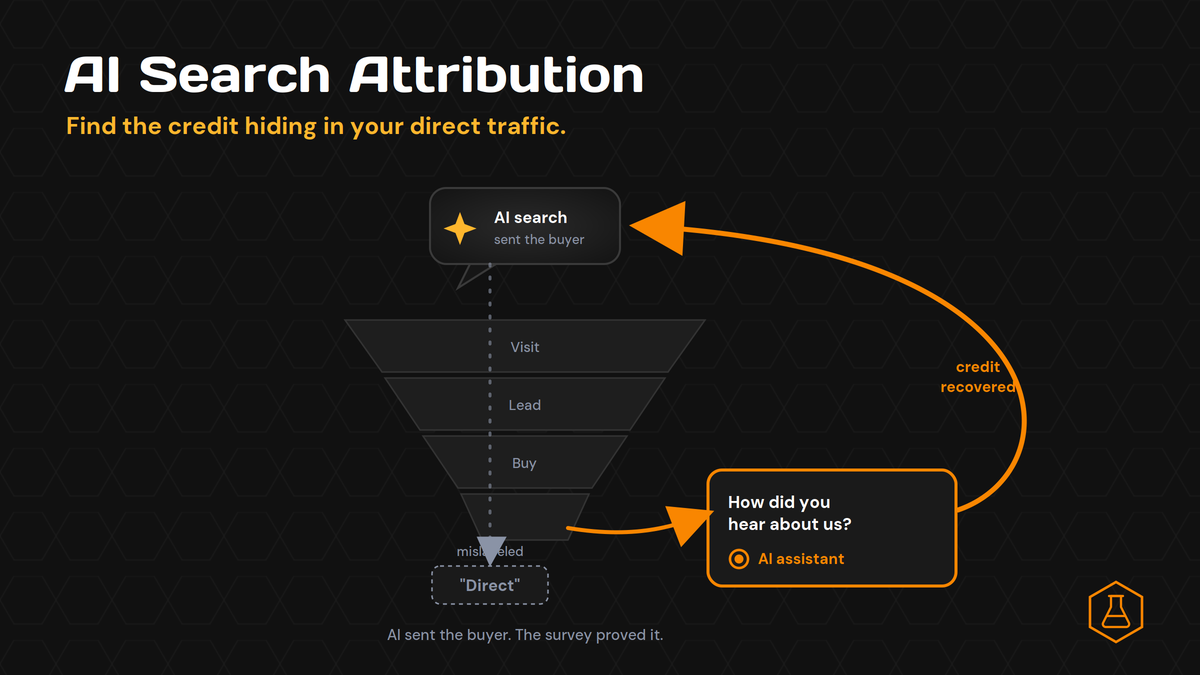
Your AI search work is paying off. People are finding you in ChatGPT and Perplexity, your brand shows up in the answers, and demand feels warmer than it did last year. Then you open your analytics. The channel that grew is “Direct.” The report says AI sent you almost nothing. That gap is not a traffic problem. It is an
July 2, 2026
Contact us
We value your privacy and won't share your email with others.
We'll only contact you with curated content.
