
Optimizing your Google Business Profile is a must if you want your business to shine online. In this ultimate guide, we’ll walk you through everything you need to know to boost your local SEO and attract more customers with a killer Google Business Profile.
Understanding Google Business Profile Optimization
Google Business Profile (formerly Google My Business) is like your business’s online calling card, giving potential customers all the essential info they need to find and connect with you.
Your Google Business Profile shows important business information, such as the name, address, phone number, hours, and customer reviews. With It, you can manage your business details and ensure they look right on Google Search and Maps.
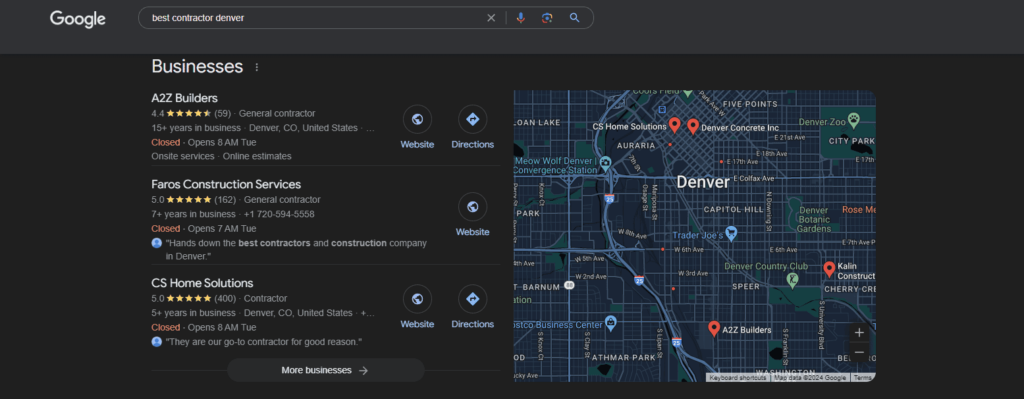
Optimizing your Google business listing is a big deal for local search engine optimization. It helps your business show up in relevant local searches, particularly the local 3-pack, so more customers can find you. This is especially important for B2B, industrial, and e-commerce businesses competing in AI search that want to stand out from the competition and look great online. Once they find you, they learn about your business and connect with you, which is pretty cool.
Key Elements of an Effective Google Business Profile
To create a Google Business Profile that wows, you need two key ingredients: accurate, comprehensive business information and high-quality photos and videos.
Make sure every detail about your business is correct and up-to-date, from your hours to your address to your main offerings. Then, add some visual sizzle with professional photos and videos that showcase what makes your business special.
Complete and Accurate Information about Your Business
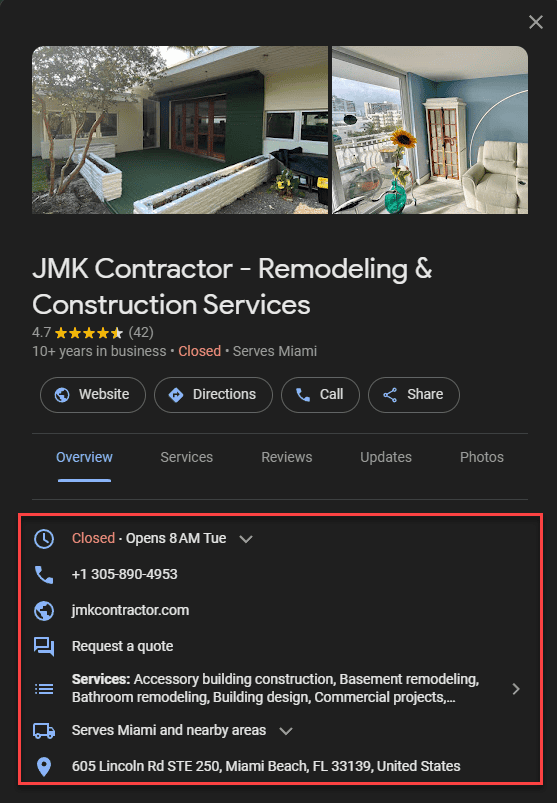
Start with your business name – it should match what’s on your store sign and other branding.
Put in your exact address so customers can find you on Google Maps.
List your hours and keep them current, especially for holidays or special events.
Choose a clear primary business category to help Google understand what you do. This can boost your local search ranking.
Don’t forget to add your phone number and website link so online visitors can become real-life customers!
High-Quality Photos and Videos
Great visuals make your Google Business Profile listing pop and grab potential customers’ attention.
Upload high-res photos of your business, products, and services. Include pics of the outside of your business so customers know what to look for when they visit.
Videos are awesome for showcasing what makes your business special, like a cool new product or happy customer reviews.
Keep your media fresh and professional-looking to make a great impression and win over more customers.
Using Keywords Effectively
Sprinkle relevant keywords you researched throughout your Google Business Profile to boost your visibility in local search results.
Use the main keywords in your business description, services, and products. For example, try “AI SEO services,” “health services,” or “e-commerce solutions.” Consider the specific words your customers might search for, but don’t go overboard with the keywords.
Encouraging Customer Reviews
Positive reviews are like gold for your Google Business Profile. They attract potential customers and make your business look great.
Encourage happy customers to leave reviews by sending follow-up emails or adding review links to receipts. When you get a review, respond quickly to show you care and build customer trust.
Regular Updates and Posts
Keep your Google Business Profile fresh with regular posts about new products, services, or promotions.
Use eye-catching images or infographics and throw in some relevant keywords, but don’t overdo it. Consistent updates show search engines that your business is active and engaging, which can help you rank higher in local searches.
Challenges in Google Business Profile Optimization
Optimizing your Google Business Profile isn’t always easy, especially when dealing with negative reviews and managing incorrect information.
Dealing with Negative Reviews
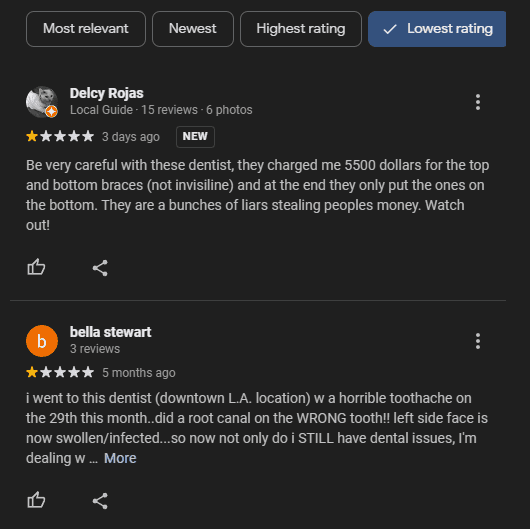
For local businesses competing in Google and AI-generated local results, handling negative reviews the right way is crucial to maintaining a good reputation. Even one bad review can hurt your local search rankings and scare away potential customers.
The key is to respond to these reviews quickly and professionally. Show some empathy, address the person’s concerns, and offer solutions.
By turning a negative experience into a positive interaction, you’re showing that you really care about customer service. This approach can help lessen the impact of negative reviews and make your business look even better overall.
Managing Incorrect Information
Wrong or outdated information on your Google Business Profile can confuse customers and cause serious headaches. That’s why it’s important for businesses to regularly check their profiles and ensure everything is accurate and up-to-date.
Double-check your business hours, location, and contact details. Inconsistent or incorrect information can lead to missed opportunities and cause potential customers to lose trust in your business.
Use the Google Business Profile dashboard to fix any mistakes ASAP. When your profile is accurate, it looks more legit in local searches, brings in more relevant traffic, and helps your local SEO game.
Monitoring and Analytics
Enhancing your Google Business Profile involves more than just setting it up. Monitoring and analytics are critical in maintaining an optimized Google business profile and sustaining its performance.
Understanding Analytics to Improve Engagement
To improve engagement, dive deep into the analytics available on your Google Business Profile. These analytics provide insights into customer behavior and profile performance.
- User Actions: Monitor actions like clicks on your business phone number, direction requests, and website visits. Knowing which actions are most frequent can guide adjustments to your profile.
- Customer Reviews: Track reviews and ratings. Not only do they affect search engine optimization but responding to reviews can foster customer loyalty and improve your local search ranking.
- Search Queries: Examine search terms users input to find your business. Incorporate these relevant keywords into your profile and posts to align with what potential customers seek.
- Photo and Post Performance: Analyze which photos and posts generate the most engagement. High-performing content can inform future updates and highlight what resonates most with your audience.
Consistent monitoring and analysis ensure your Google Business Profile remains optimized, driving more local business traffic and boosting your local search results.
Tools to Track Performance
When optimizing your Google Business Profile, having the right tools in your toolkit can help you keep an eye on how your profile is performing and give you valuable insights into local search results, user interactions, and traffic. Let’s take a look at some of the best Google Business Profile tools out there:
Moz Local
Moz Local is like a superhero for your local SEO. It helps you manage your business listings across multiple online directories, including Google, Yelp, and Facebook.
But that’s not all – it also gives you some pretty sweet insights into your Google Business Profile performance. You can see how many people are clicking on your listing, requesting directions, or calling your business.
It even helps you spot any issues with your profile, like incomplete info or duplicate listings. Moz Local is definitely a top contender for Google Business Profile optimization.
BrightLocal
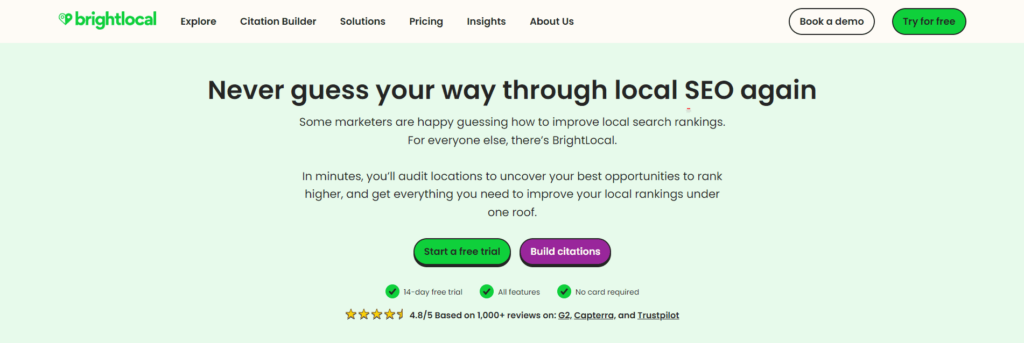
BrightLocal is another awesome tool for managing Google Business Profiles. It’s got a ton of features that can help you level up your local SEO game. You can use it to track your search rankings, monitor your online reputation, and analyze your competitors.
However, where it really shines is in its Google Business Profile tools. You can use BrightLocal to audit your profile, make sure all your info is accurate and up-to-date, and even generate some slick reports to show off your progress. It’s a great choice for businesses that want to dive deep into their Google Business Profile optimization.
Yext
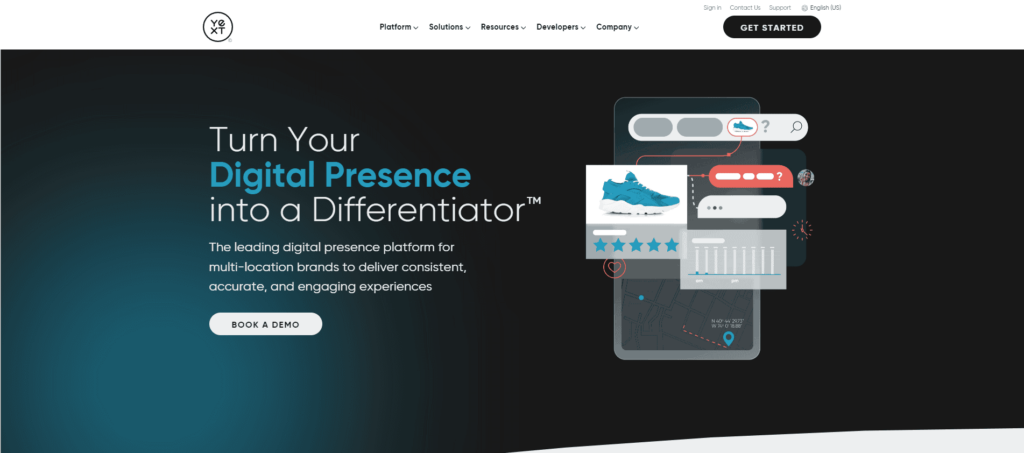
Yext is like a magic wand for your online listings. It helps you manage your business info across a ton of different directories and platforms, including Google, Apple Maps, and Bing.
But it’s not just about consistency – Yext also gives you some powerful tools for Google Business Profile optimization. You can use it to monitor your profile’s performance, respond to reviews, and even publish Google Posts directly from the Yext platform.
Plus, it integrates with a bunch of other tools like Google Analytics and Salesforce, so you can get a comprehensive view of your online presence. Yext is definitely worth checking out if you want to streamline your Google Business Profile management.
Whitespark
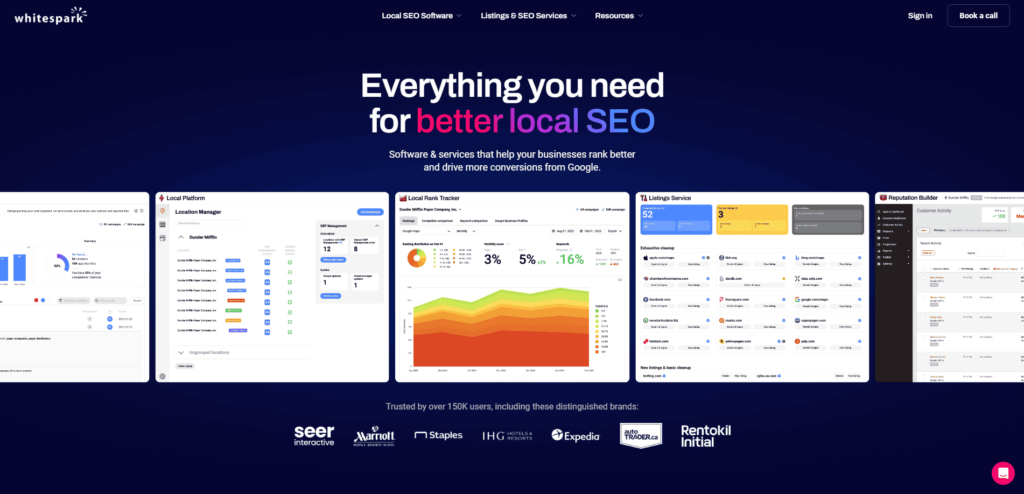
Whitespark is like a secret weapon for local SEO. It’s got a suite of tools that can help you optimize your Google Business Profile and dominate your local search rankings. One of its standout features is its Google Business Profile audit tool, which scans your profile for any issues or opportunities for improvement.
It also helps you track your search rankings, monitor your reviews, and even build high-quality local citations. Whitespark is a great option for businesses that want a comprehensive approach to Google Business Profile optimization.
Conclusion
Optimizing your Google Business Profile is a game-changer for enhancing local SEO and attracting more customers.
By maintaining accurate information, high-quality visuals, and relevant keywords, you can significantly improve your local search ranking. Encouraging positive reviews and managing negative feedback professionally is essential for maintaining a strong online presence. Regular audits and updates using the Google Business Profile dashboard keep your information current and relevant.
Consistent analysis helps you understand customer behavior and refine your strategies. By staying proactive and attentive to your Google Business Profile, you can drive more local traffic and boost your business’s visibility in search results.
Looking for an agency to execute the Google Business Profile optimization practices above? AlchemyLeads can perform them all, from getting your GBP verified so we can start managing it to building local citations on relevant business directories and listings. Check our local SEO services for more information.
Suggested

AI Reputation Management: What LLMs Say About Our Brand, and What We Do About It
Our real AI sentiment data: what ChatGPT, Perplexity and Google AI Overviews get right and wrong about AlchemyLeads, and how we manage LLM reputation.
October 13, 2026

The Dark Funnel: Why Direct Traffic Spikes When AI Search Visibility Grows
Direct traffic doubled and nobody can explain it? That is the dark funnel. Why AI search hides attribution, how to rule out other causes, and the client data that shows what it is worth.
October 13, 2026

Industrial Marketing for the Builders: Why We Bet on Hard Tech
Why AlchemyLeads put industrial and hard tech companies at the center of its work in 2023, what reindustrialization changes, and who we’re built for now.
October 12, 2026

Our Ahrefs Health Score Went From 74 to 96. Here’s What Our AI SEO Agent Found.
Seven problems our AI SEO agent found on our own site, from leads GA4 never recorded to 195 pages linking through redirects, and how we fixed them.
October 8, 2026

How Our AI SEO Agent Cleared 1,186 Schema Errors in One Day
How our AI SEO agent and team took a Shopify store from 1,186 structured data errors, 12 404s and 155 broken links to zero in one day.
October 8, 2026
Contact us
We value your privacy and won't share your email with others.
We'll only contact you with curated content.
